https://blog.csdn.net/hero_java/article/details/114242476
从httpmock 了解http.RoundTripper
https://blog.csdn.net/gaoce227/article/details/118393295
本文是对Go单测从零到溜系列—1.mock网络测试的实践
自己对外提供的api接口:
以gin框架为例,演示如何为http server编写单元测试
1
2
3
4
5
6
7
8
9
10
11
12
13
14
15
16
17
18
19
20
21
22
23
24
25
26
27
28
29
30
31
32
33
34
35
36
37
38
39
40
41
|
package main
import (
"fmt"
"net/http"
"github.com/gin-gonic/gin"
)
type Param struct {
Name string `json:"name"`
}
func helloHandler(c *gin.Context) {
var p Param
if err := c.ShouldBindJSON(&p); err != nil {
c.JSON(http.StatusOK, gin.H{
"msg": "name参数缺失",
})
return
}
c.JSON(http.StatusOK, gin.H{
"msg": fmt.Sprintf("hello %s", p.Name),
})
}
func SetupRouter() *gin.Engine {
router := gin.Default()
router.POST("/hello", helloHandler)
return router
}
func main() {
g := SetupRouter()
g.Run()
}
|
1
2
3
4
5
6
7
8
| curl -X POST \
http://127.0.0.1:8080/hello \
-H 'cache-control: no-cache' \
-H 'content-type: application/json' \
-H 'postman-token: ed1c03e8-7b65-637e-4dc5-35cf38bbe5ac' \
-d '{
"name": "Alex"
}'
|
当有传name参数时,返回hello $name, 否则返回name参数缺失
使用Go标准库 net/http/httptest 进行测试
1
2
3
4
5
6
7
8
9
10
11
12
13
14
15
16
17
18
19
20
21
22
23
24
25
26
27
28
29
30
31
32
33
34
35
36
37
38
39
40
41
42
43
44
45
46
47
48
49
50
51
52
|
package main
import (
"encoding/json"
"net/http"
"net/http/httptest"
"strings"
"testing"
"github.com/stretchr/testify/assert"
)
func Test_helloHandler(t *testing.T) {
tests := []struct {
name string
param string
expect string
}{
{"base case", `{"name": "Alex"}`, "hello Alex"},
{"bad case", "", "name参数缺失"},
}
r := SetupRouter()
for _, tt := range tests {
t.Run(tt.name, func(t *testing.T) {
req := httptest.NewRequest(
"POST",
"/hello",
strings.NewReader(tt.param),
)
w := httptest.NewRecorder()
r.ServeHTTP(w, req)
assert.Equal(t, http.StatusOK, w.Code)
var resp map[string]string
err := json.Unmarshal([]byte(w.Body.String()), &resp)
assert.Nil(t, err)
assert.Equal(t, tt.expect, resp["msg"])
})
}
}
|
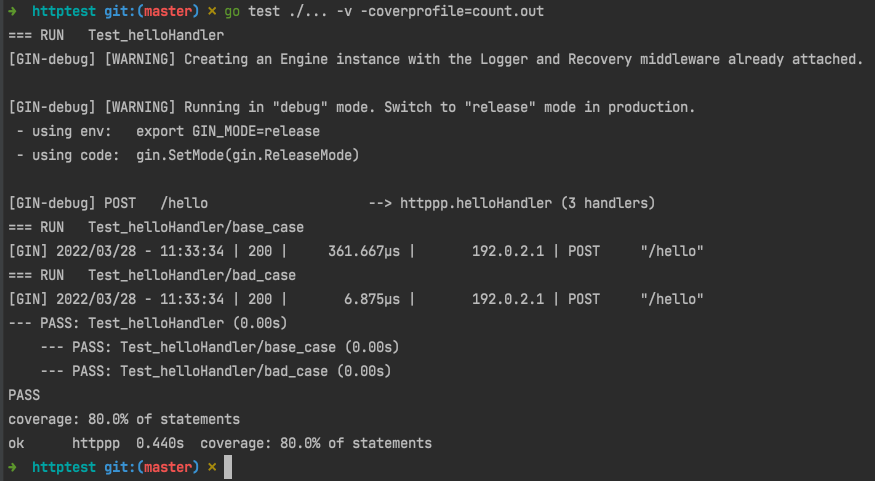
- 展示测试覆盖率,并生成覆盖统计文件到 count.out:
go test ./... -v -coverprofile=count.out
- 用go tool来分析 count.out 文件并生成想要的结果:
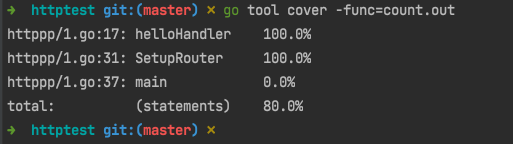
用 -func 生成每个函数的覆盖率
go tool cover -func=count.out
展示每一个函数单元测试的覆盖率,若100% 则测试完整,若0.0% 则没有测试
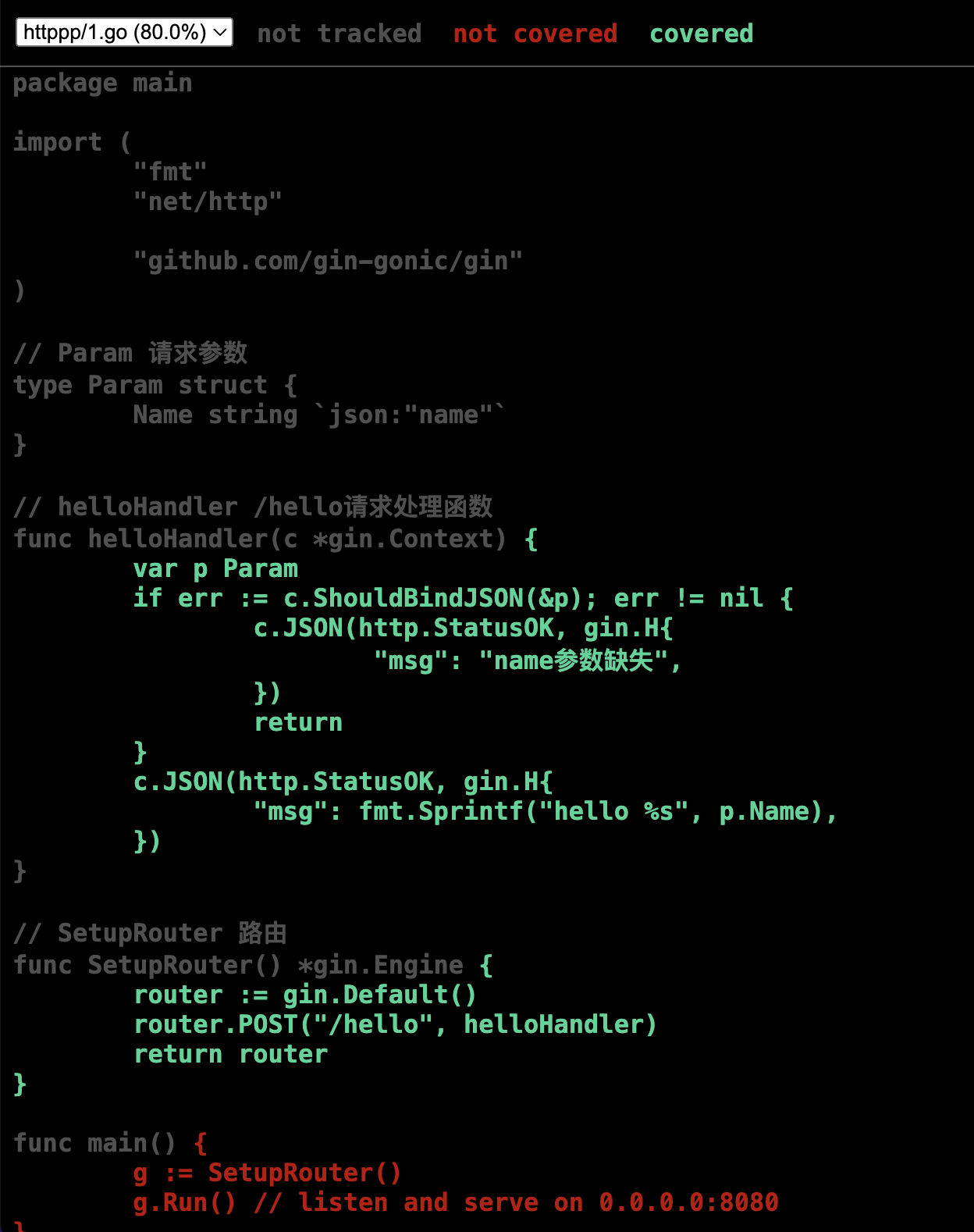
用 -html 生成 html 文件,以图形方式展示每个函数,每一行代码的覆盖率
go tool cover -html=count.out
会打开默认浏览器,图形化展示测试覆盖率
可切换当前库下的每个文件,看每一行代码是否测试执行。没有执行的显示为红色, 灰色是不需要测试的, 亮绿色是测试通过的
请求别人的接口:
对这类场景写单测时,不想在测试过程中真正去发送请求(或依赖的外部接口还未开发完成),可以在单元测试中使用gock这个库,对依赖的API进行mock。
go get -u gopkg.in/h2non/gock.v1
1
2
3
4
5
6
7
8
9
10
11
12
13
14
15
16
17
18
19
20
21
22
23
24
25
26
27
28
29
30
31
32
33
34
35
36
37
38
39
40
41
42
43
44
45
46
47
48
49
|
package main
import (
"bytes"
"encoding/json"
"fmt"
"io/ioutil"
"net/http"
)
type ReqParam struct {
X int `json:"x"`
}
type Result struct {
Value int `json:"value"`
}
func GetResultByAPI(x, y int) int {
p := &ReqParam{X: x}
b, _ := json.Marshal(p)
resp, err := http.Post(
"http://your-api.com/post",
"application/json",
bytes.NewBuffer(b),
)
if err != nil {
return -1
}
body, _ := ioutil.ReadAll(resp.Body)
var ret Result
if err := json.Unmarshal(body, &ret); err != nil {
return -1
}
return ret.Value + y
}
func main() {
fmt.Println("结果为:", GetResultByAPI(1, 2))
}
|
1
2
3
4
5
6
7
8
9
10
11
12
13
14
15
16
17
18
19
20
21
22
23
24
25
26
27
28
29
30
31
32
33
34
35
36
37
38
39
40
41
|
package main
import (
"testing"
"github.com/stretchr/testify/assert"
"gopkg.in/h2non/gock.v1"
)
func TestGetResultByAPI(t *testing.T) {
defer gock.Off()
gock.New("http://your-api.com").
Post("/post").
MatchType("json").
JSON(map[string]int{"x": 1}).
Reply(200).
JSON(map[string]int{"value": 100})
res := GetResultByAPI(1, 1)
assert.Equal(t, res, 101)
gock.New("http://your-api.com").
Post("/post").
MatchType("json").
JSON(map[string]int{"x": 2}).
Reply(200).
JSON(map[string]int{"value": 200})
res = GetResultByAPI(2, 2)
assert.Equal(t, res, 202)
assert.True(t, gock.IsDone())
}
|
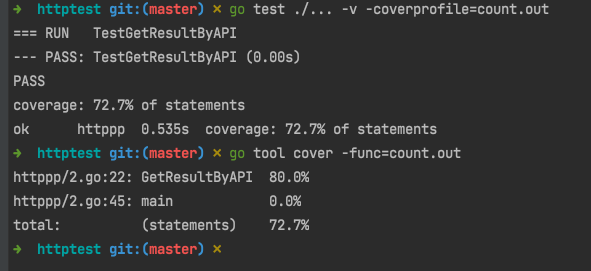
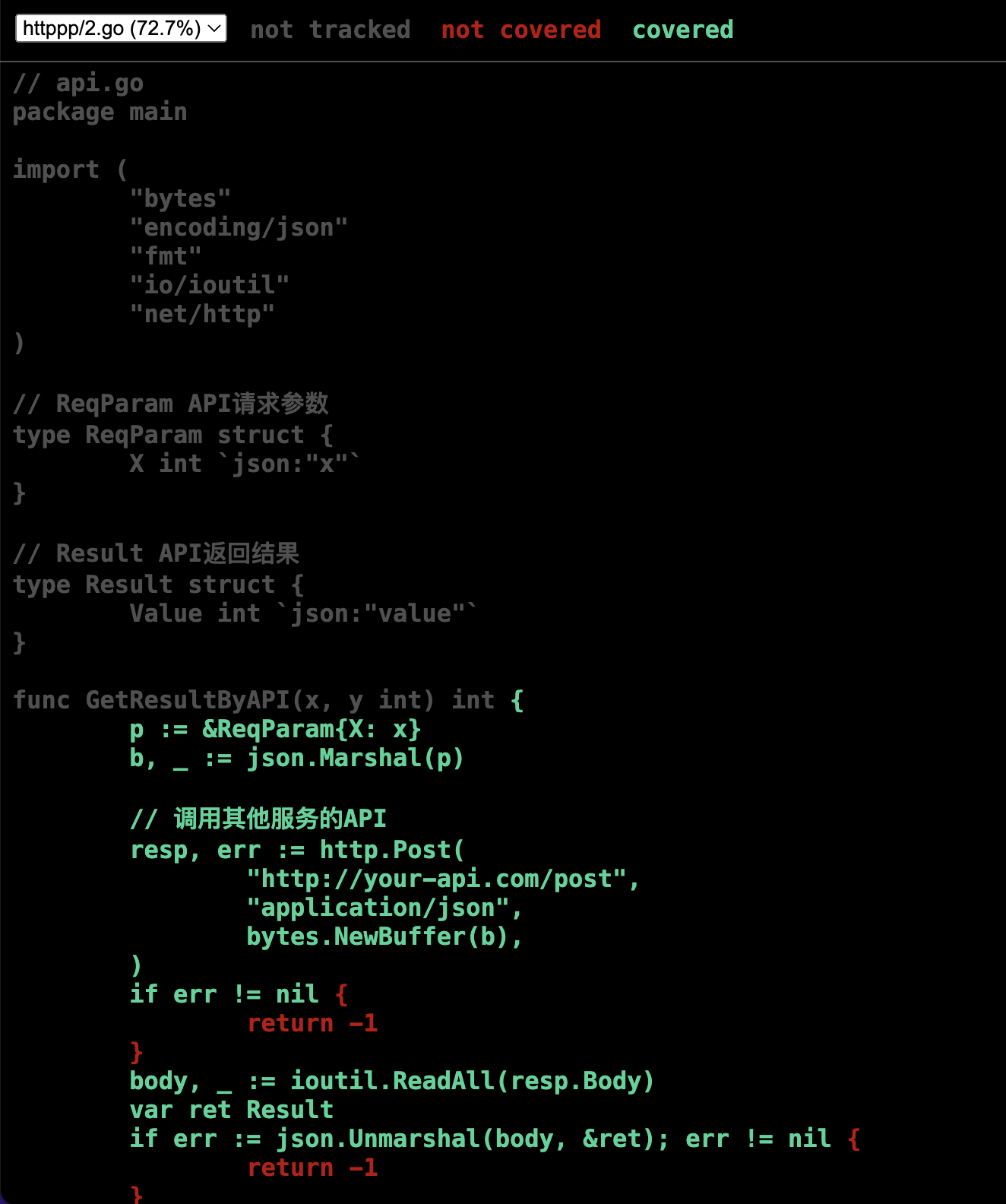
- 展示测试覆盖率,并生成覆盖统计文件到 count.out:
go test ./... -v -coverprofile=count.out
- 用go tool来分析 count.out 文件并生成想要的结果:
用 -func 生成每个函数的覆盖率
go tool cover -func=count.out
展示每一个函数单元测试的覆盖率,若100% 则测试完整,若0.0% 则没有测试
用 -html 生成 html 文件,以图形方式展示每个函数,每一行代码的覆盖率
go tool cover -html=count.out
会打开默认浏览器,图形化展示测试覆盖率
可切换当前库下的每个文件,看每一行代码是否测试执行。没有执行的显示为红色, 灰色是不需要测试的, 亮绿色是测试通过的
原文链接: https://dashen.tech/2010/03/26/Go单测之mock网络/
版权声明: 转载请注明出处.