在在Gitlab Pipeline中集成进ut覆盖率和测试报告 中提到存在可改进之处,即单次CI耗时过长。
耗时主要在下载diff_cover(需要下载pip),以及Golang(用的是docker image)以及gocover-cobertura和gotestsum
考虑将这些工具打包在一起,构建成一个新的镜像,CI阶段就可以大幅度降低耗时
Dockerfile如下:
1
2
3
4
FROM golang:latest RUN echo '这是一个爽哥构建的一个工具' RUN apt-get update && apt install python3-pip -y && pip3 install diff_cover && go env -w GOPROXY="https://goproxy.cn,direct" && go get github.com/boumenot/gocover-cobertura@v1.2 .0 && go get gotest.tools/gotestsum@v1.7 .0
因为Docker是分层下载,每一个RUN就是单独一层。所以尽可能如上这样写,而不要写多个RUN
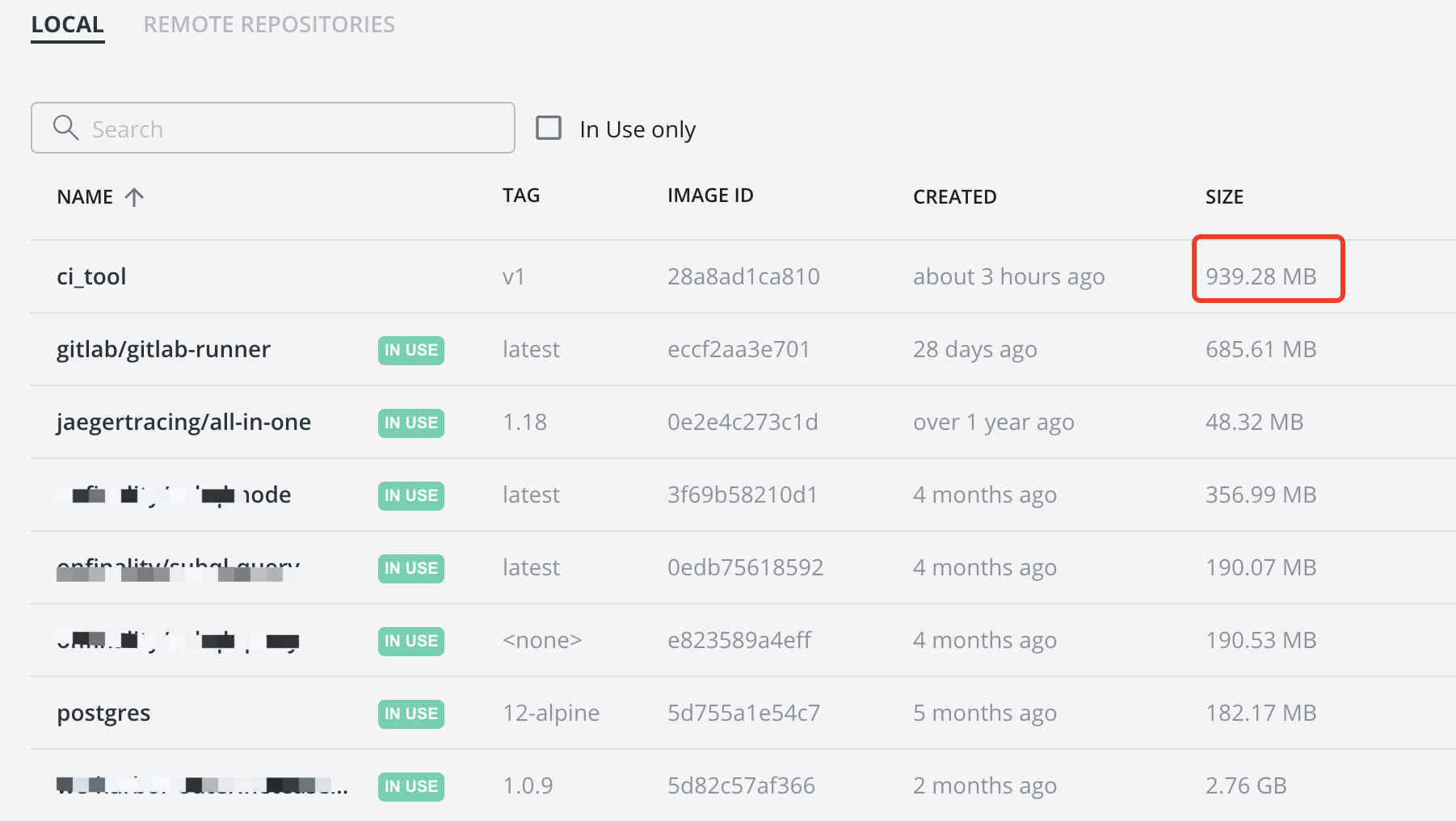
执行docker build -t ci_tool:v1 .
1
2
3
4
5
6
7
8
9
10
11
12
13
14
15
16
17
18
19
20
21
22
23
24
25
26
27
28
29
30
31
32
33
34
35
36
37
38
39
40
41
42
43
44
45
46
47
[+] Building 547.2s (4/7) [+] Building 547.6s (4/7) [+] Building 548.0s (4/7) [+] Building 635.7s (7/8) [+] Building 635.9s (7/8) [+] Building 636.0s (7/8) [+] Building 636.2s (7/8) [+] Building 636.3s (7/8) [+] Building 685.9s (7/8) => => extracting sha256:94a23d3cb5be24659b25f17537307e7f568d665244f6a383c1c6e51e31080749 1.5s => => sha256:499ac46314c257f999ffe452e3a4ac1c8bc46c373f461074d4737870caca50bd 102.65MB / 102.65MB 144.3s [+] Building 687.3s (7/8) [+] Building 694.8s (9/9) FINISHED => [internal] load build definition from Dockerfile 0.0s => => transferring dockerfile: 342B 0.0s => [internal] load .dockerignore 0.0s => => transferring context: 2B 0.0s => [internal] load metadata for docker.io/library/golang:latest 5.4s => [auth] library/golang:pull token for registry-1.docker.io 0.0s => [1/3] FROM docker.io/library/golang:latest@sha256:0fa6504d3f1613f554c42131b8bf2dd1b2346fb69c2fc24a312e7cba6c87a71e 627.8s => => resolve docker.io/library/golang:latest@sha256:0fa6504d3f1613f554c42131b8bf2dd1b2346fb69c2fc24a312e7cba6c87a71e 0.0s => => sha256:ac9d381bd1e98fa8759f80ff42db63c8fce4ac9407b2e7c8e0f031ed9f96432b 5.14MB / 5.14MB 11.6s => => sha256:aa9c5b49b9db3dd2553e8ae6c2081b77274ec0a8b1f9903b0e5ac83900642098 10.66MB / 10.66MB 26.6s => => sha256:0fa6504d3f1613f554c42131b8bf2dd1b2346fb69c2fc24a312e7cba6c87a71e 2.35kB / 2.35kB 0.0s 0.4s => => sha256:89b5d1fa04af24c4cae53f775b9382755b2ba1082bda77b9f8febaa8676b54cb 1.80kB / 1.80kB 0.0s => => sha256:cac175c1423a6f67bcf70033345b7dc7d733176ab28932904a3e457acc6f5c56 7.08kB / 7.08kB 0.0s => => sha256:94a23d3cb5be24659b25f17537307e7f568d665244f6a383c1c6e51e31080749 53.60MB / 53.60MB 84.6s => => sha256:841dd868500b6685b6cda93c97ea76e817b427d7a10bf73e9d03356fac199ffd 54.67MB / 54.67MB 618.3s 0.4s => => sha256:627b3401fb617535edd16e96bd5941ecea7fe10ce6087bd47707602cfc396c2b 81.01MB / 81.01MB 157.3s => => extracting sha256:94a23d3cb5be24659b25f17537307e7f568d665244f6a383c1c6e51e31080749 1.5s => => sha256:499ac46314c257f999ffe452e3a4ac1c8bc46c373f461074d4737870caca50bd 102.65MB / 102.65MB 144.3s => => extracting sha256:ac9d381bd1e98fa8759f80ff42db63c8fce4ac9407b2e7c8e0f031ed9f96432b 0.1s => => extracting sha256:aa9c5b49b9db3dd2553e8ae6c2081b77274ec0a8b1f9903b0e5ac83900642098 0.2s => => sha256:63c2674d92dba6ae349f7ae5d7460b37a9dc8744644dedd1f83d0ed1dbd7c806 124B / 124B 145.7s => => extracting sha256:841dd868500b6685b6cda93c97ea76e817b427d7a10bf73e9d03356fac199ffd 1.7s => => extracting sha256:627b3401fb617535edd16e96bd5941ecea7fe10ce6087bd47707602cfc396c2b 2.2s => => extracting sha256:499ac46314c257f999ffe452e3a4ac1c8bc46c373f461074d4737870caca50bd 3.0s => => extracting sha256:63c2674d92dba6ae349f7ae5d7460b37a9dc8744644dedd1f83d0ed1dbd7c806 0.0s => [auth] library/golang:pull token for registry-1.docker.io 0.0s => [2/3] RUN echo '这是一个爽哥构建的一个工具' 0.4s => [3/3] RUN apt-get update && apt install python3-pip -y && pip3 install diff_cover && go env -w GOPROXY="https://goproxy.cn,direct" && go get github.com/boumenot/gocover-cobertura@v1.2.0 && go get gotest.tools/gotestsum@ 59.3s => exporting to image 1.6s => => exporting layers 1.6s => => writing image sha256:28a8ad1ca810ef0c17b80390c809d7fe3fc327e6dc8c4a8a994df1d9b69d057f 0.0s => => naming to docker.io/library/ci_tool:v1 0.0s Use 'docker scan' to run Snyk tests against images to find vulnerabilities and learn how to fix them
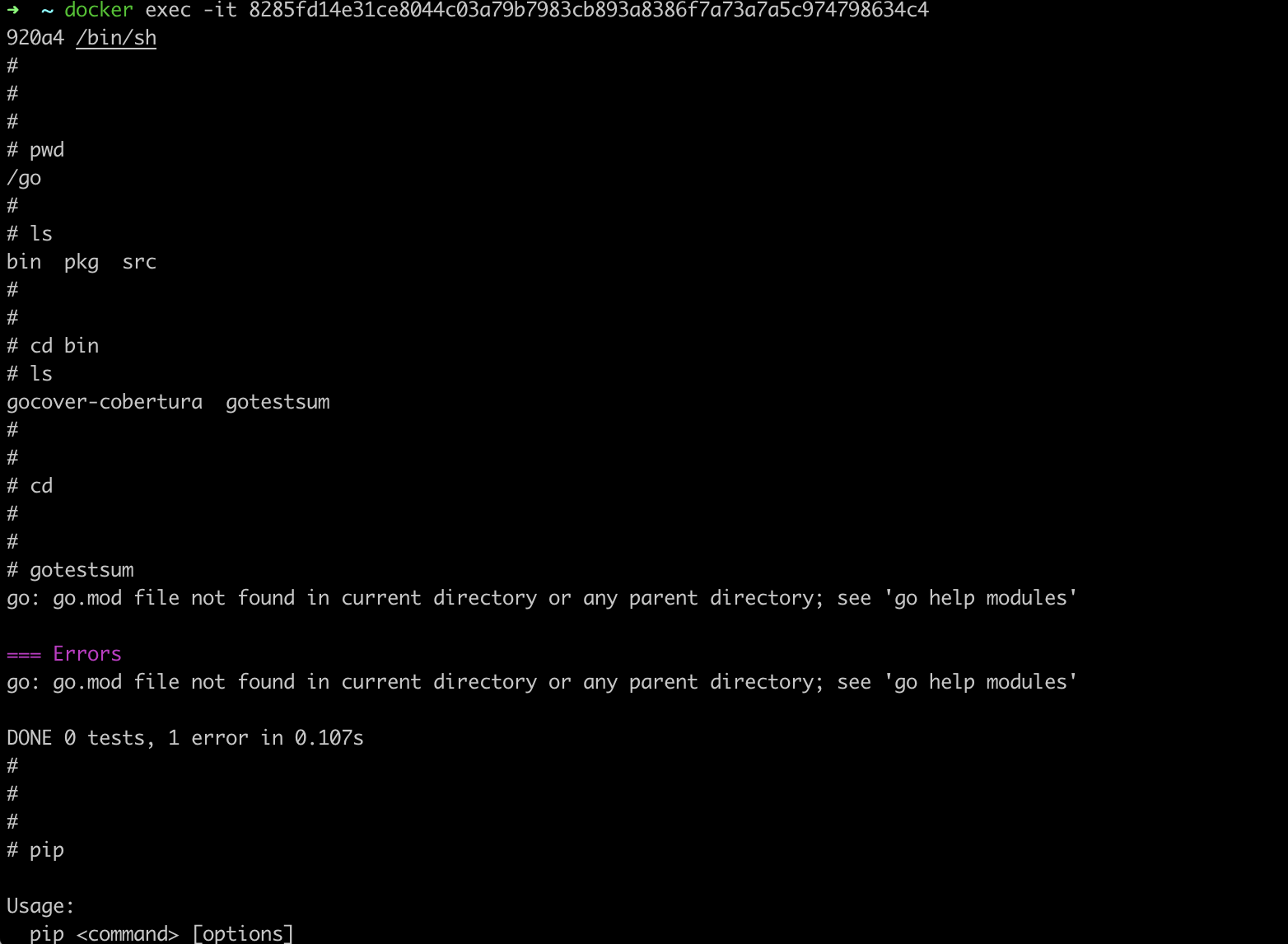
启动,而后执行docker exec -it 容器id /bin/sh 进入容器,
可见符合预期~
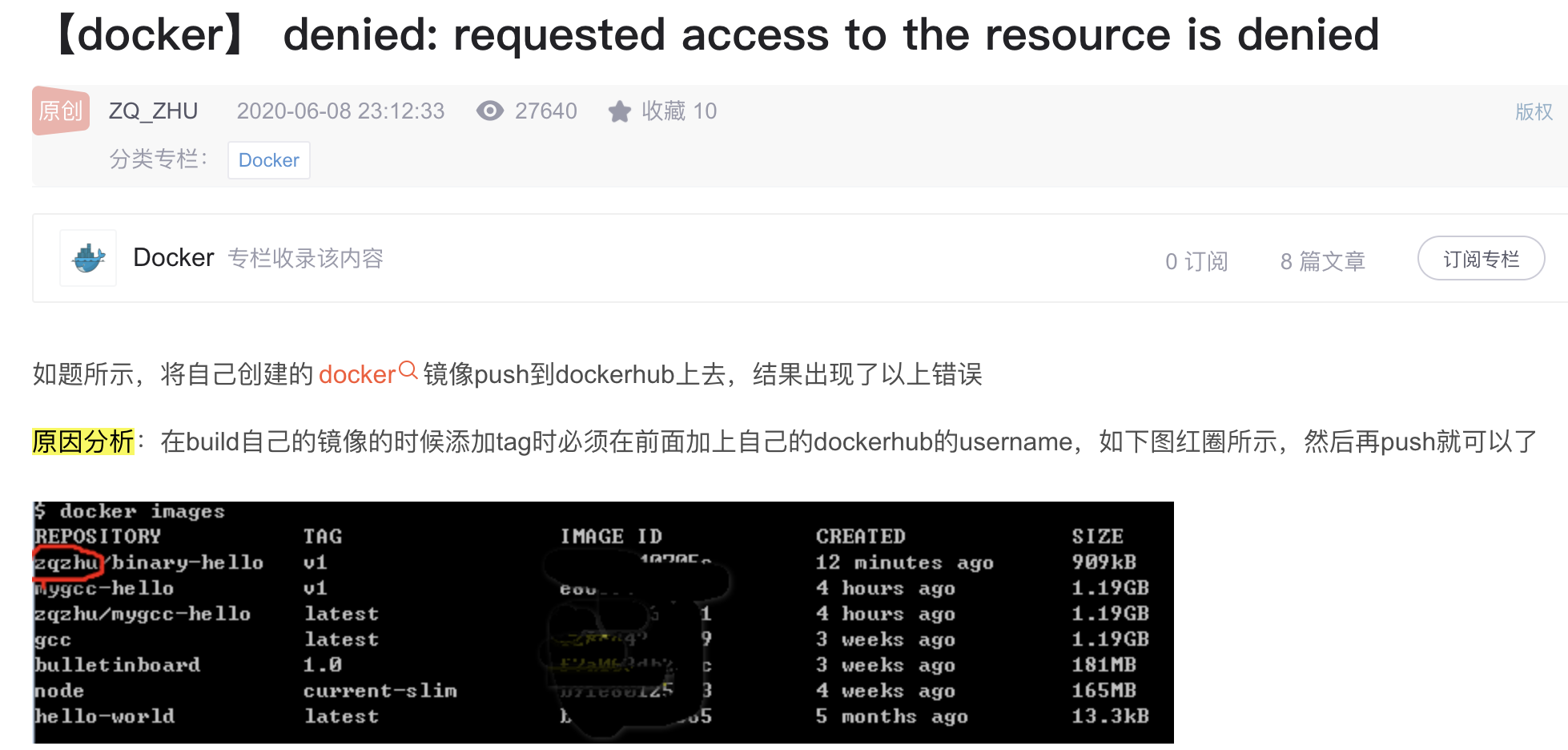
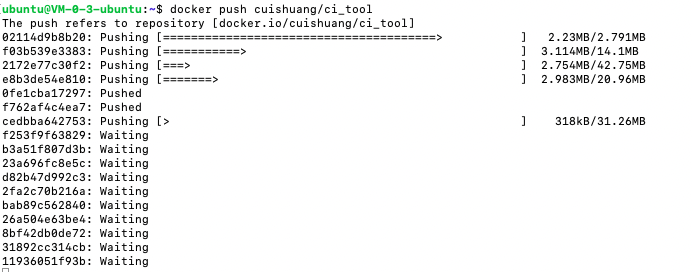
将其push到dockerhub时报错,denied: requested access to the resource is denied
这是因为构建时要在前面加上自己的dockerhub的username
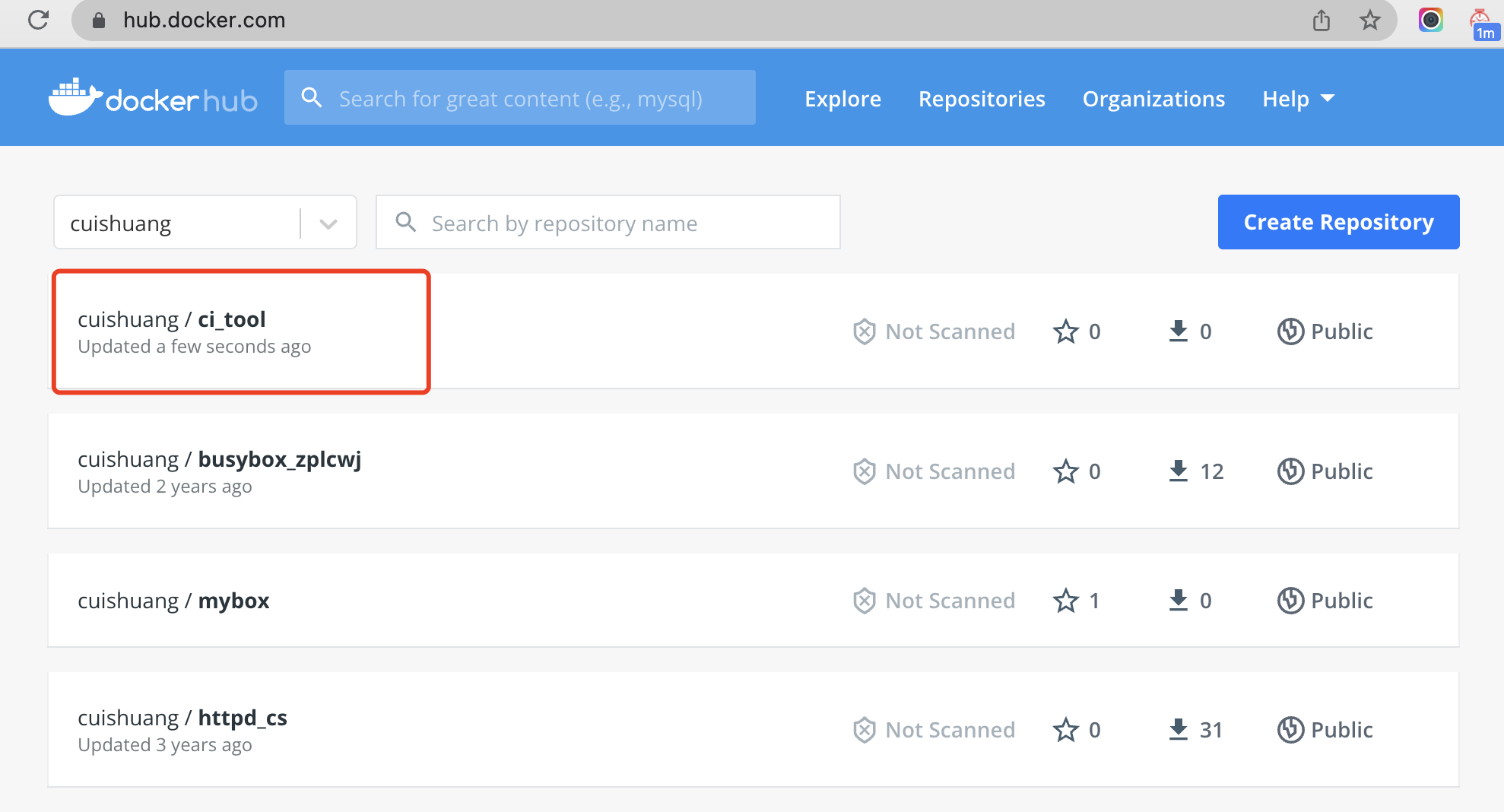
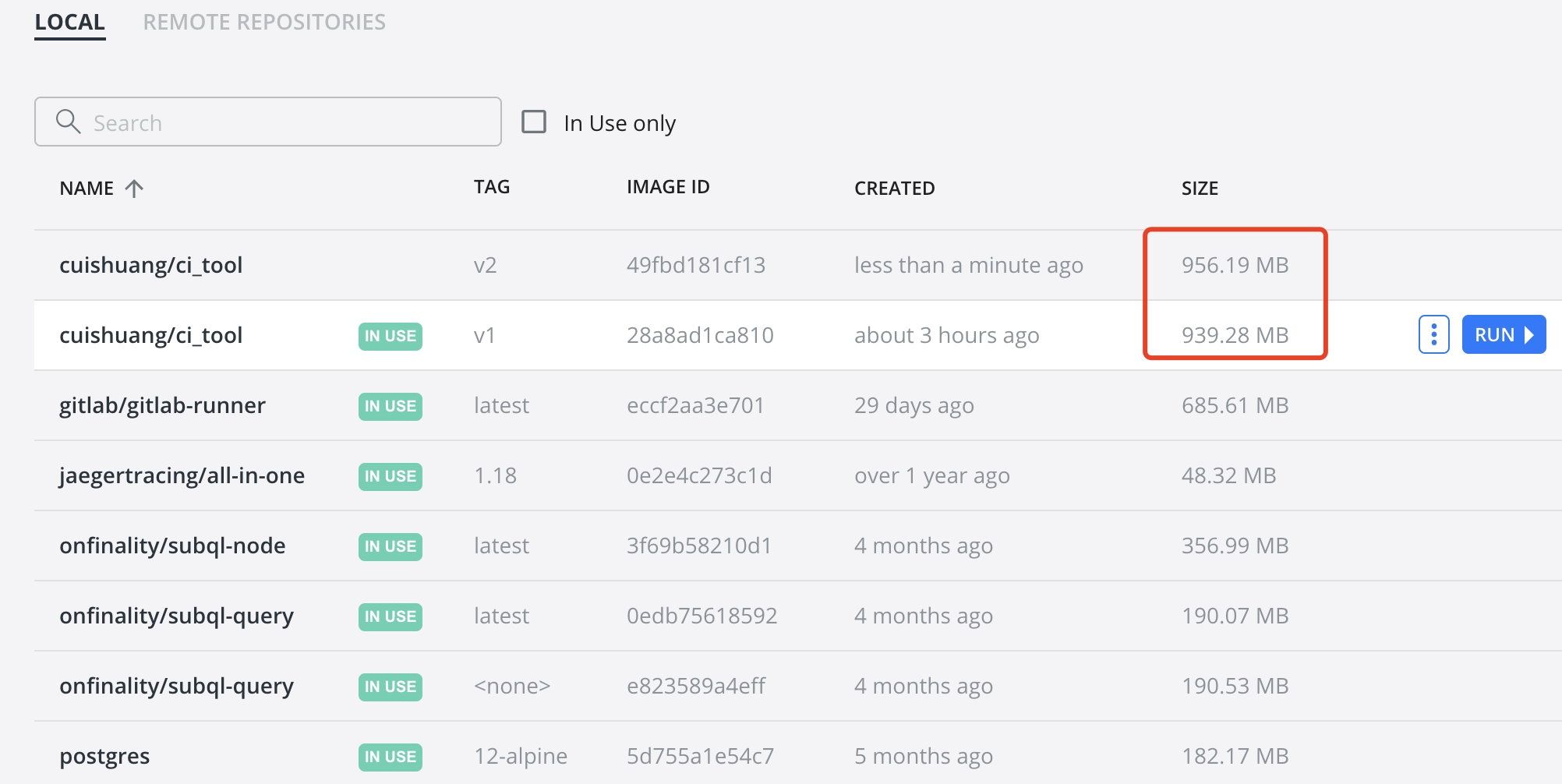
执行docker build -t cuishuang/ci_tool:v1 . 重新构建并push
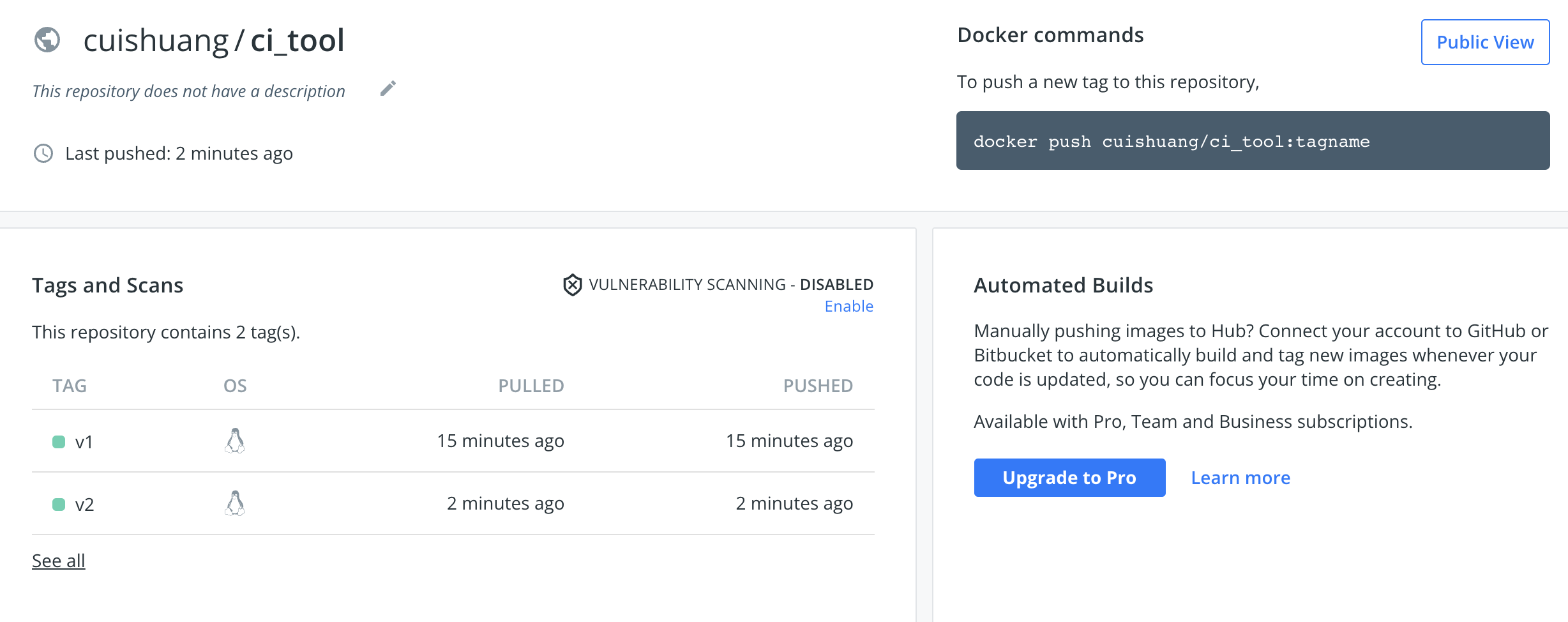
之后在hub.docker.com/ 就能够看到
发现上面的Dockerfile漏了go get github.com/axw/gocov/…和 go get github.com/AlekSi/gocov-xml 这两步,在Dockerfile加上,
1
2
3
4
FROM golang:latestRUN echo '这是一个爽哥构建的一个工具' RUN apt-get update && apt install python3-pip -y && pip3 install diff_cover && go env -w GOPROXY="https://goproxy.cn,direct" && go get github.com/boumenot/gocover-cobertura@v1.2.0 && go get gotest.tools/gotestsum@v1.7.0 && go get github.com/axw/gocov/... && go get github.com/AlekSi/gocov-xml
并docker build -t cuishuang/ci_tool:v2 . 重新构建,而后push到dockerhub
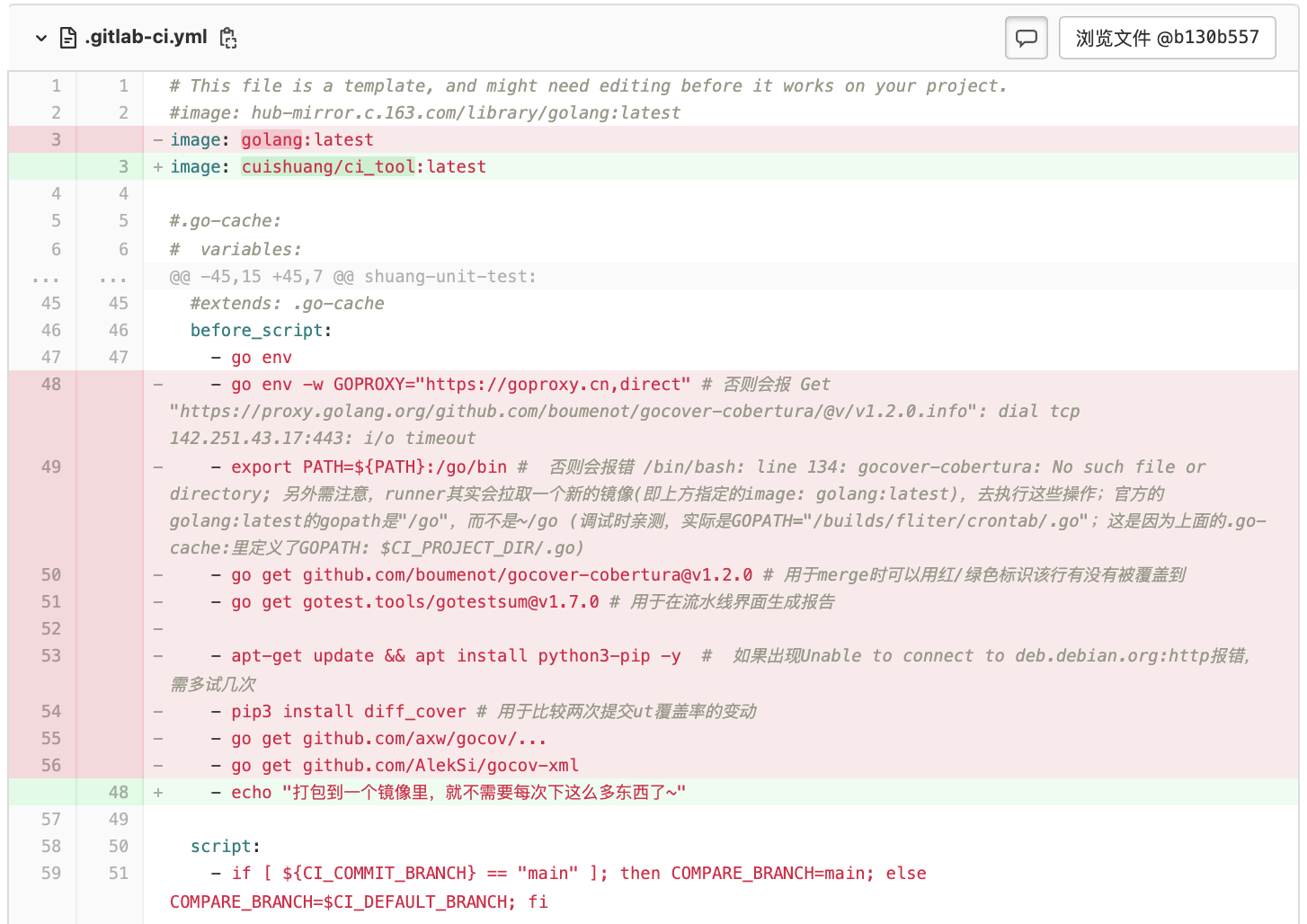
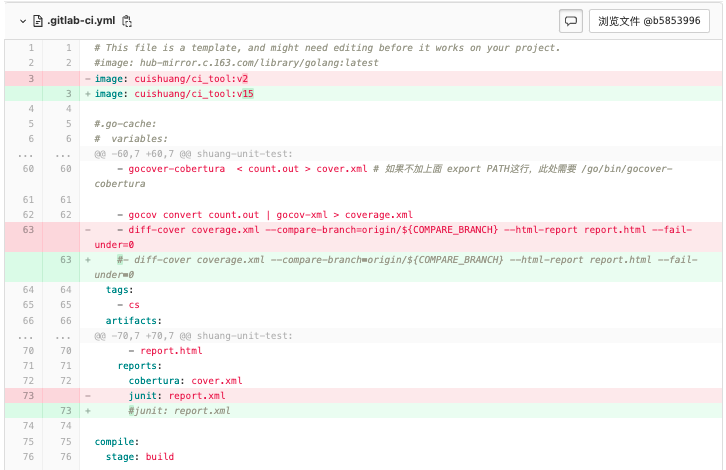
而后便可改造之前项目 的.gitlab-ci.yml
并进行提交
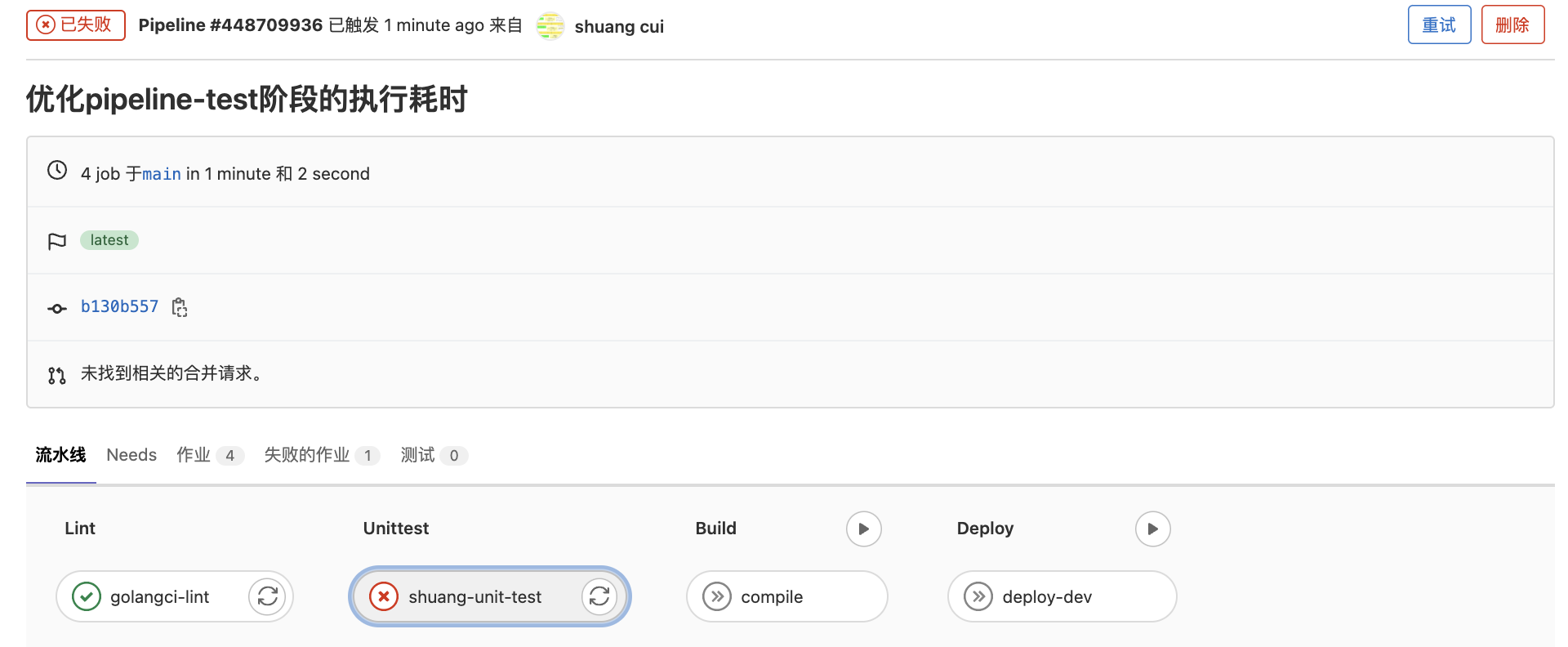
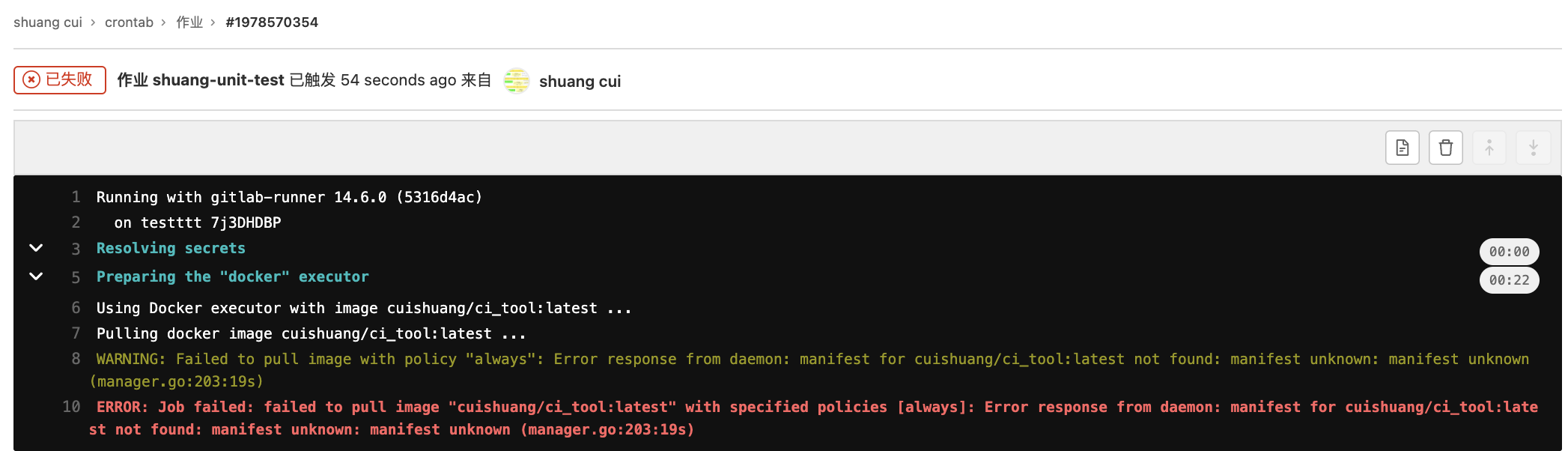
发现Pipeline-Unittest阶段失败
具体原因为:
failed to pull image "cuishuang/ci_tool:latest" with specified policies [always]: Error response from daemon: manifest for cuishuang/ci_tool:latest not found: manifest unknown: manifest unknown (manager.go:203:19s)
将image: cuishuang/ci_tool:latest 改为image: cuishuang/ci_tool:v2 并提交。
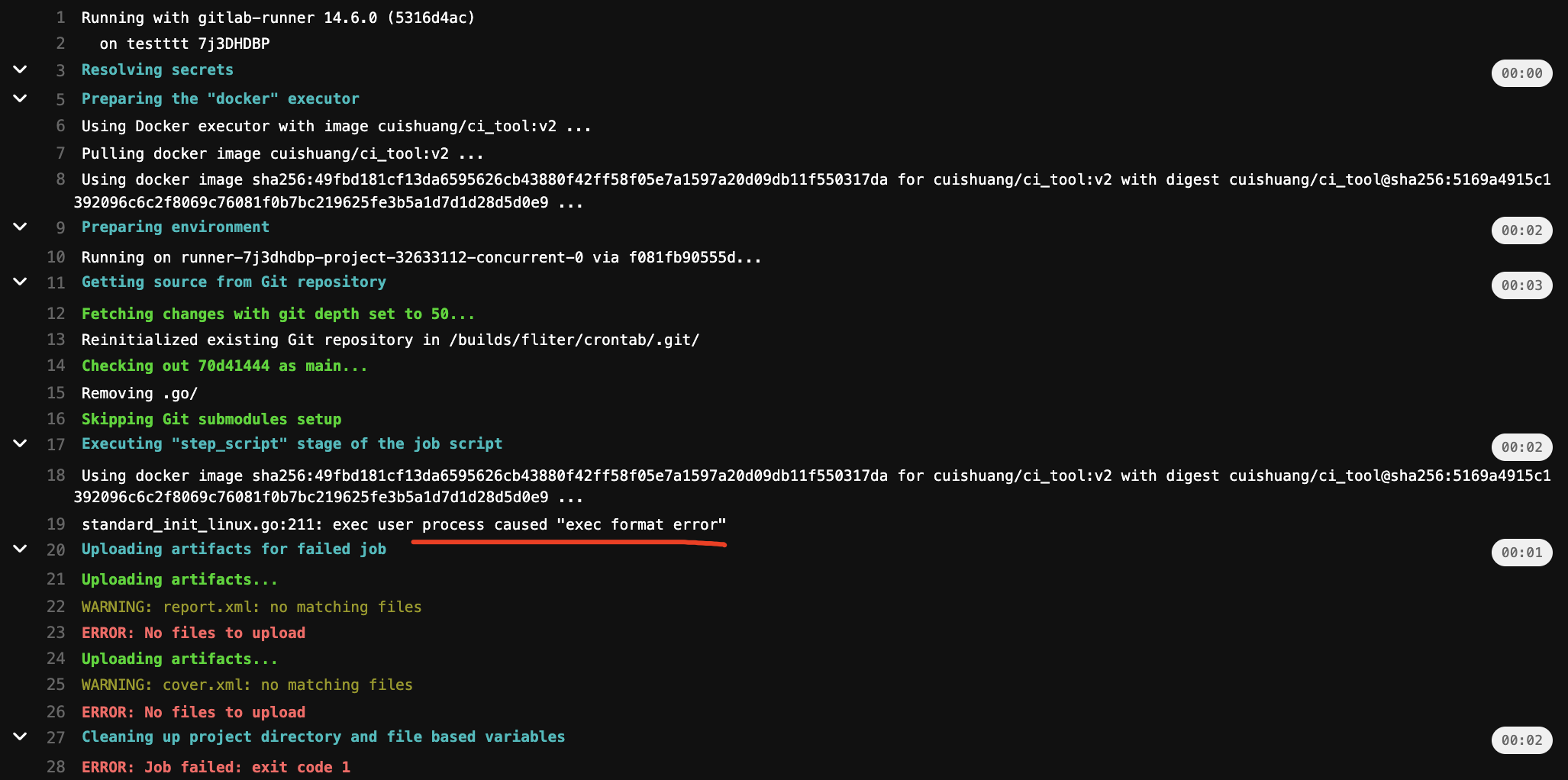
发现可以pull到该镜像,但执行一些命令时失败:
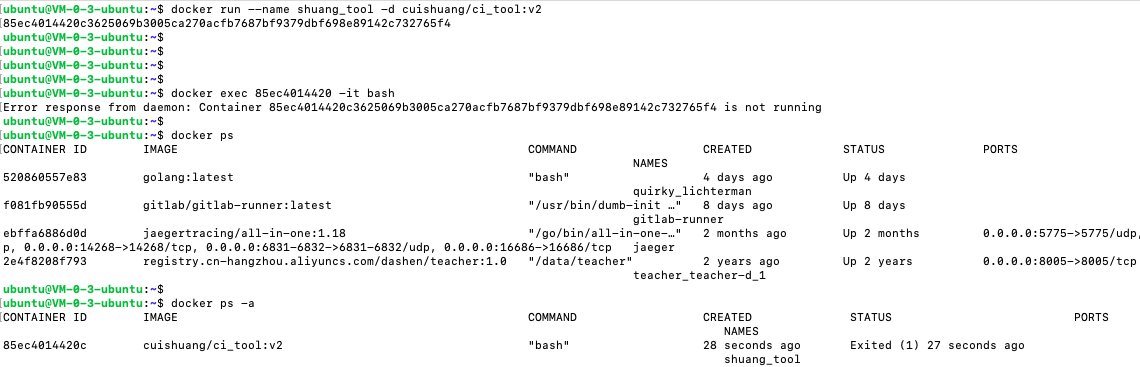
在实际跑gitlab-runner的ubuntu机器上(amd架构),启动上面构建的镜像:
docker run --name shuang_tool -d cuishuang/ci_tool:v2
而后进入,发现镜像启动失败
在本机(Mac M1,arm架构)启动,却没有该问题。
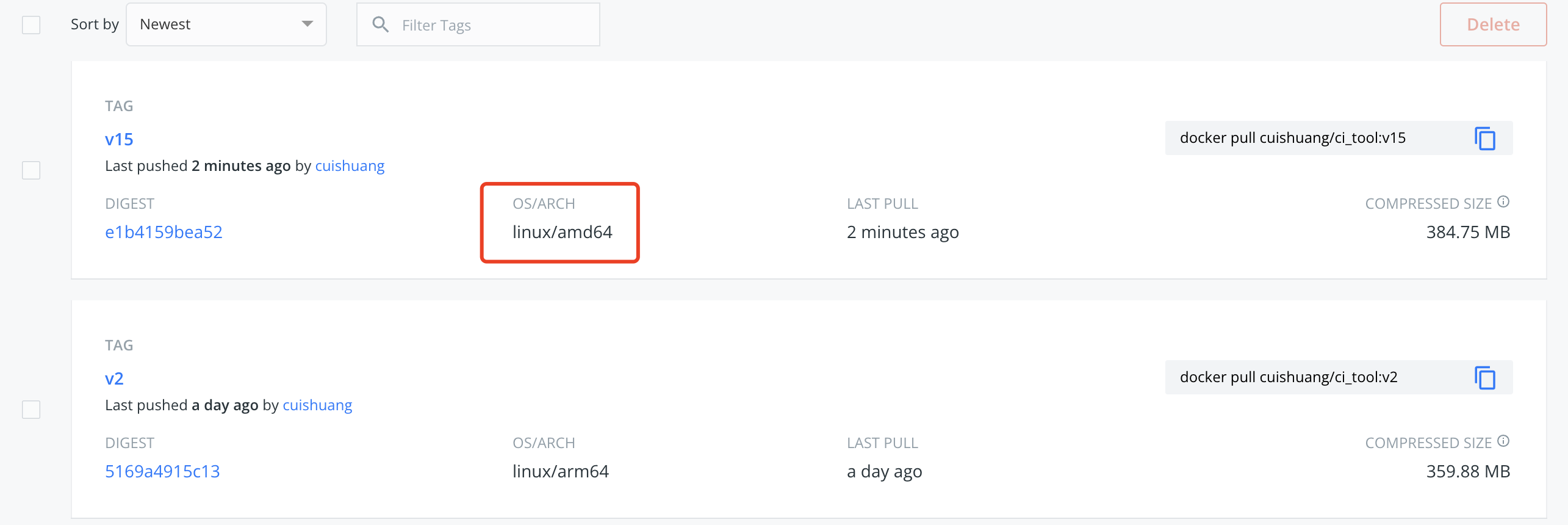
参考这篇 ,应该是arm和amd架构导致的问题
在ubuntu机器上新建Dockerfile, docker build -t cuishuang/ci_tool:v3 .进行构建
而后push到dockerhub。
但在ubuntu上apt-get update 命令总失败
尝试看下docker能不能像go build一样可以交叉编译
跨平台构建 Docker 镜像新姿势,x86、arm 一把梭
继续解决apt-get update 命令失败的问题,换一下源就可以了
docker ubuntu 换源
如果更换后出现类似The following signatures couldn’t be verified because the public key is not available: NO_PUBKEY 3B4FE6ACC0B21F32 这样的错误,可通过sudo apt-key adv --keyserver keyserver.ubuntu.com --recv-keys xxxxxx 解决
一番尝试后,发现apt-get update及之后pip3 install diff_cover有各种各样的坑…。
(可以将相关的去掉然后构建,进入容器中去执行,发现报的这些依赖问题依然不好解决)
为绕过这些坑,聚焦主线,将之前的使用到diff-cover工具的部分去掉
(另外为了方便找到失败的原因,可将之前写在一个RUN里的多条命令拆开,一个命令一个RUN,这样容易获悉是哪一条命令执行出错)
同时将在ubuntu上构建出的镜像上传到docker hub
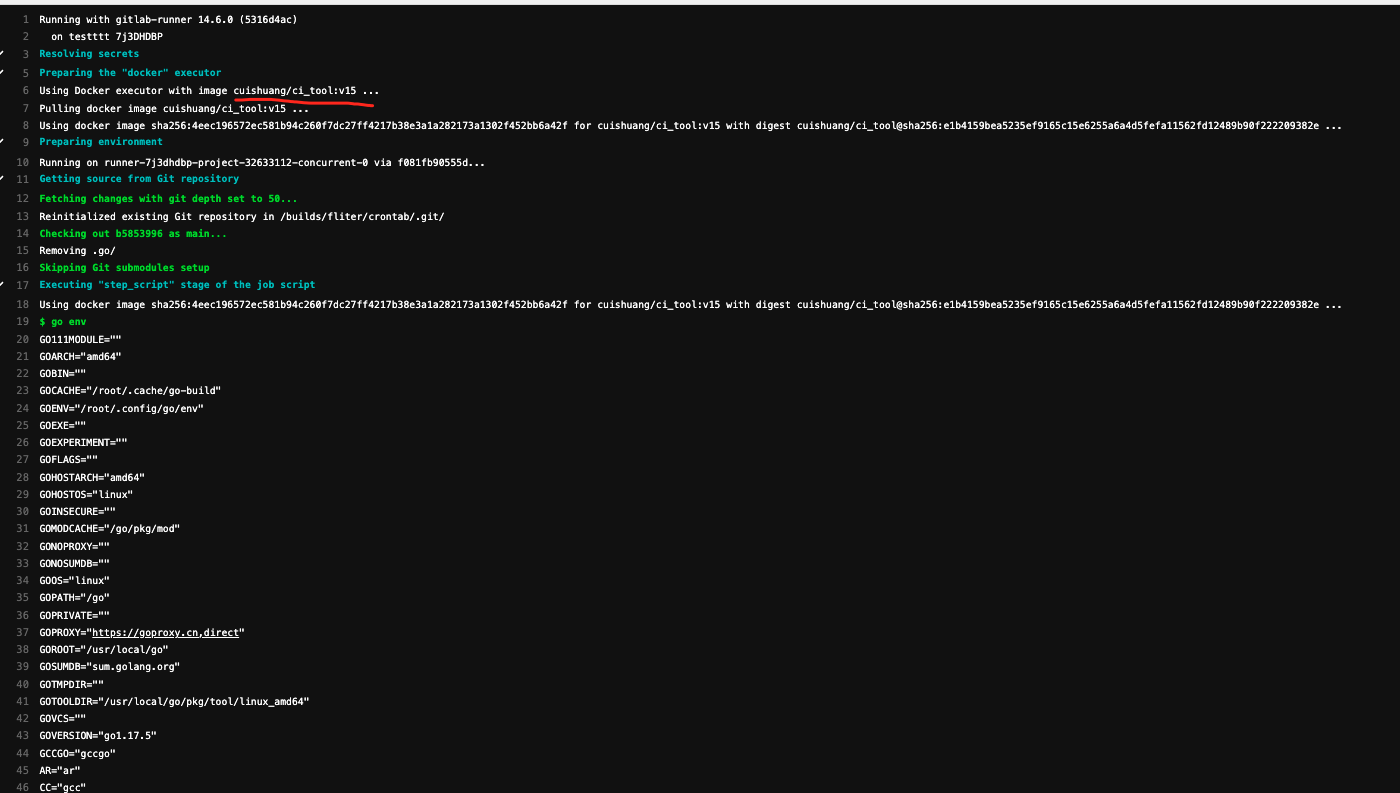
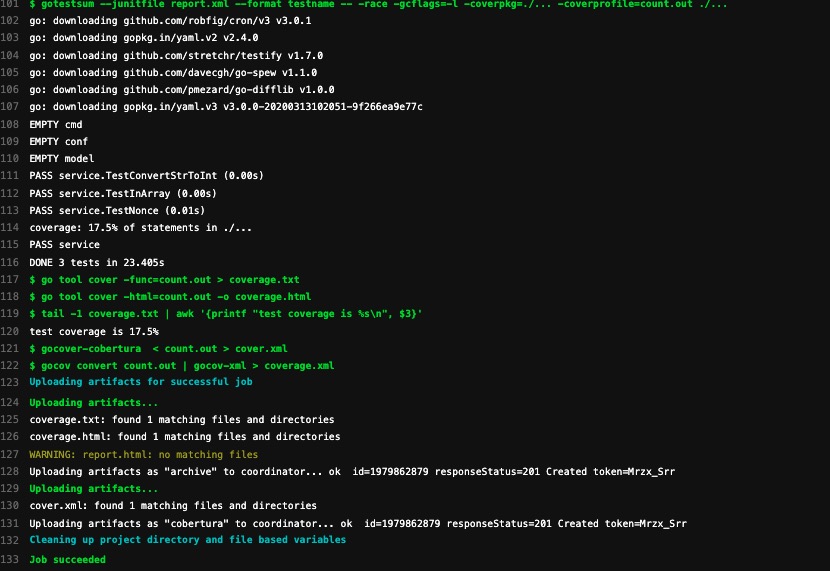
将改动提交,而后进入pipeline流程,可以看到shuang-unit-test 阶段的job执行成功
这样就把CI的shuang-unit-test 阶段用到的各种工具放在了一起,只需要拉取这个镜像即可~
(pull这个镜像比那各种现场apt update,go get要快太多了…)
docker镜像采用分层机制,在默认的官方golang镜像基础上,添加新的工具~
而官方的golang镜像默认是基于ubuntu系统,体积较大,拉取时间较长
构建后的镜像达到了1.05GB,压缩后也近400MB
一般都用基于精简款linux的alpine的来构建,可参考这篇
基于alpine构建体积更小的Docker镜
原文链接: https://dashen.tech/2016/01/25/Docker构建自定义镜像/
版权声明: 转载请注明出处.