WebSocket是一种在单个TCP连接上进行全双工通信的协议.使得客户端和服务器之间的数据交换变得更加简单,允许服务端主动向客户端推送数据。在WebSocket API中,浏览器和服务器只需要完成一次握手,两者之间就直接可以创建持久性的连接,并进行双向数据传输
本文是对gin 框架中结合 gorilla 实现 webSocket的实验与记录
1. 先用Gin框架快速搭建一个restful服务
1
2
3
4
5
6
7
8
9
10
11
12
13
14
15
| package main
import (
"github.com/gin-gonic/gin"
)
func main() {
bindAddress := "localhost:2233"
r := gin.Default()
r.GET("/test", func(c *gin.Context) {
c.JSON(200, []string{"123", "321"})
})
r.Run(bindAddress)
}
|
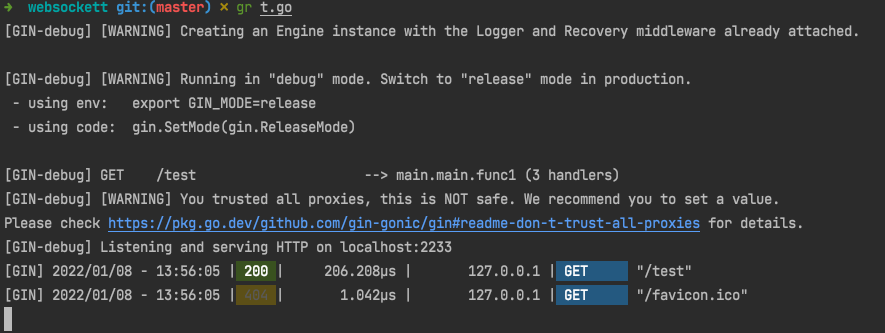
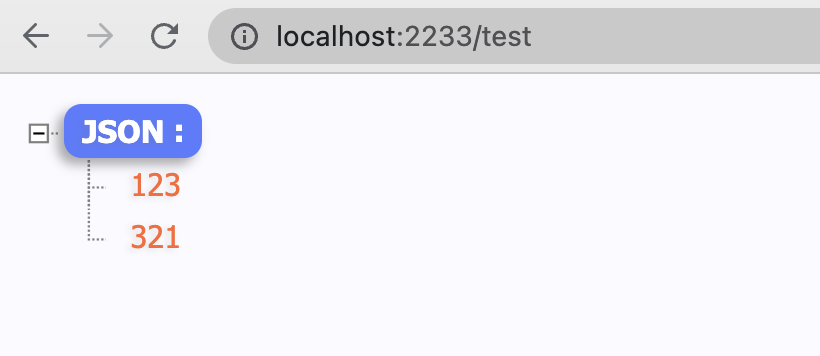
2.集成gorilla/websocket库
github.com/gorilla 下有很多go的库,gorilla/websocket是其中针对websocket的库
1
2
3
4
5
6
7
8
9
10
11
12
13
14
15
16
17
18
19
20
21
22
23
24
25
26
27
28
29
30
31
32
33
34
35
36
37
38
39
40
41
42
43
44
45
46
47
48
49
50
51
52
53
| package main
import (
"fmt"
"github.com/gin-gonic/gin"
"github.com/gorilla/websocket"
"net/http"
)
func main() {
bindAddress := "localhost:2233"
r := gin.Default()
r.GET("/test", func(c *gin.Context) {
c.JSON(200, []string{"123", "321"})
})
r.GET("/ping", ping)
r.Run(bindAddress)
}
var upGrader = websocket.Upgrader{
CheckOrigin: func(r *http.Request) bool {
return true
},
}
func ping(c *gin.Context) {
ws, err := upGrader.Upgrade(c.Writer, c.Request, nil)
if err != nil {
fmt.Println("Upgrade err:", err)
return
}
defer ws.Close()
for {
mt, message, err := ws.ReadMessage()
if err != nil {
fmt.Println("ReadMessage err:", err)
break
}
if string(message) == "ping" {
message = []byte("pong")
}
err = ws.WriteMessage(mt, message)
if err != nil {
fmt.Println("WriteMessage err:", err)
break
}
}
}
|
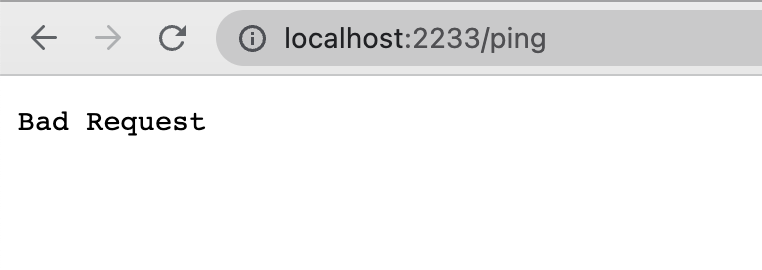
此时如果直接去请求http://localhost:2233/ping,则会报400 (Bad Request)
websocket: the client is not using the websocket protocol: 'upgrade' token not found in 'Connection' header

2.js代码连接ws
启动第2步中的服务,
然后在浏览器控制台,输入
1
2
3
4
5
6
7
8
9
10
11
12
13
14
15
| var ws = new WebSocket("ws://localhost:2233/ping");
ws.onopen = function (evt) {
console.log("Connection open ...");
ws.send("Hello WebSockets!");
};
ws.onmessage = function (evt) {
console.log("Received Message: " + evt.data);
};
ws.onclose = function (evt) {
console.log("Connection closed.");
};
|
回车后可以收到
1
2
| Connection open ...
Received Message: Hello WebSockets!
|
原文链接: https://dashen.tech/2018/01/08/WebSocket小试/
版权声明: 转载请注明出处.