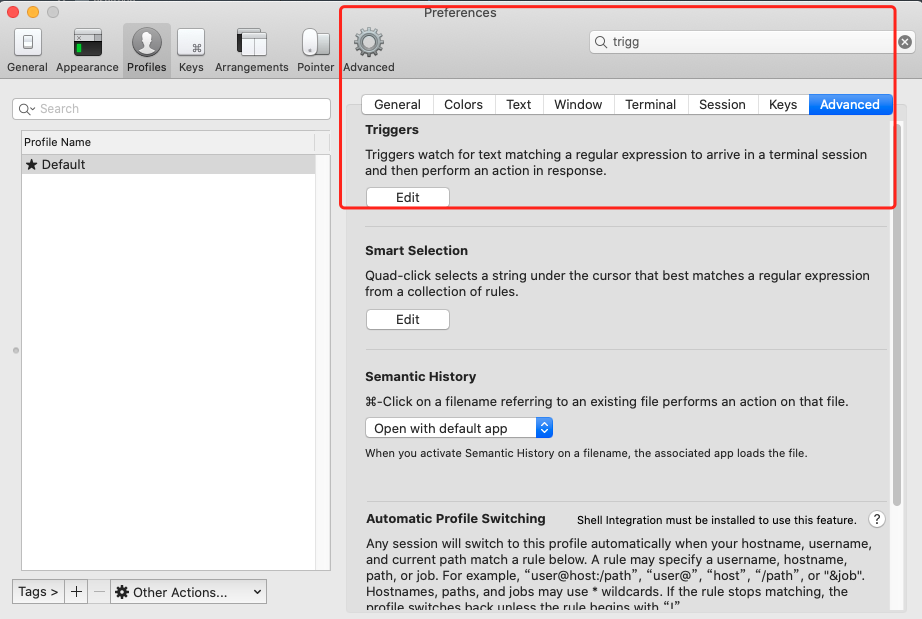
osascript -e 'tell application "iTerm2" to version' > /dev/null2>&1 && NAME=iTerm2 || NAME=iTerm if [[ $NAME = "iTerm" ]]; then FILE=$(osascript -e 'tell application "iTerm" to activate' -e 'tell application "iTerm" to set thefile to choose folder with prompt "Choose a folder to place received files in"' -e "do shell script (\"echo \"&(quoted form of POSIX path of thefile as Unicode text)&\"\")") else FILE=$(osascript -e 'tell application "iTerm2" to activate' -e 'tell application "iTerm2" to set thefile to choose folder with prompt "Choose a folder to place received files in"' -e "do shell script (\"echo \"&(quoted form of POSIX path of thefile as Unicode text)&\"\")") fi
if [[ $FILE = "" ]]; then echo Cancelled. # Send ZModem cancel echo -e \\x18\\x18\\x18\\x18\\x18 sleep 1 echo echo \# Cancelled transfer else cd "$FILE" /usr/local/bin/rz -E -e -b --bufsize 4096 sleep 1 echo echo echo \# Sent \-\> $FILE fi
osascript -e 'tell application "iTerm2" to version' > /dev/null2>&1 && NAME=iTerm2 || NAME=iTerm if [[ $NAME = "iTerm" ]]; then FILE=`osascript -e 'tell application "iTerm" to activate' -e 'tell application "iTerm" to set thefile to choose file with prompt "Choose a file to send"' -e "do shell script (\"echo \"&(quoted form of POSIX path of thefile as Unicode text)&\"\")"` else FILE=`osascript -e 'tell application "iTerm2" to activate' -e 'tell application "iTerm2" to set thefile to choose file with prompt "Choose a file to send"' -e "do shell script (\"echo \"&(quoted form of POSIX path of thefile as Unicode text)&\"\")"` fi if [[ $FILE = "" ]]; then echo Cancelled. # Send ZModem cancel echo -e \\x18\\x18\\x18\\x18\\x18 sleep 1 echo echo \# Cancelled transfer else /usr/local/bin/sz "$FILE" -e -b sleep 1 echo echo \# Received $FILE fi

 sz:将选定的文件发送(send)到本地机器