Flags: -h, --help Show context-sensitive help (also try --help-long and --help-man). --version Show application version. --enable-feature= ... Comma separated feature names to enable (only PromQL related and no-default-scrape-port). See https://prometheus.io/docs/prometheus/latest/feature_flags/ for the options and more details.
Commands: help [<command>...] Show help.
check service-discovery [<flags>] <config-file> <job> Perform service discovery for the given job name and report the results, including relabeling.
check config [<flags>] <config-files>... Check if the config files are valid or not.
check web-config <web-config-files>... Check if the web config files are valid or not.
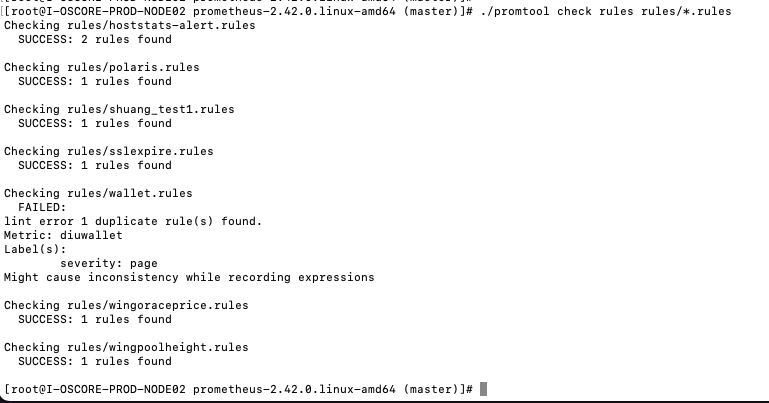
check rules [<flags>] <rule-files>... Check if the rule files are valid or not.
check metrics Pass Prometheus metrics over stdin to lint them for consistency and correctness.
tsdb dump [<flags>] [<db path>] Dump samples from a TSDB.
tsdb create-blocks-from openmetrics <input file> [<output directory>] Import samples from OpenMetrics input and produce TSDB blocks. Please refer to the storage docs for more details.
tsdb create-blocks-from rules --start=START [<flags>] <rule-files>... Create blocks of data for new recording rules.
checking alertmanager.yml
  FAILED: couldn't load configuration (-config.file="alertmanager.yml"): parsing config file: yaml: line 9: mapping values are not allowed in this context
Add, expire or view silences. For more information and additional flags see query help
Flags: -h, –help Show context-sensitive help (also try –help-long and –help-man). –date.format=”2006-01-02 15:04:05 MST” Format of date output -v, –verbose Verbose running information –alertmanager.url=ALERTMANAGER.URL Alertmanager to talk to -o, –output=simple Output formatter (simple, extended, json) –timeout=30s Timeout for the executed command –http.config.file= HTTP client configuration file for amtool to connect to Alertmanager. –version-check Check alertmanager version. Use –no-version-check to disable. –version Show application version.