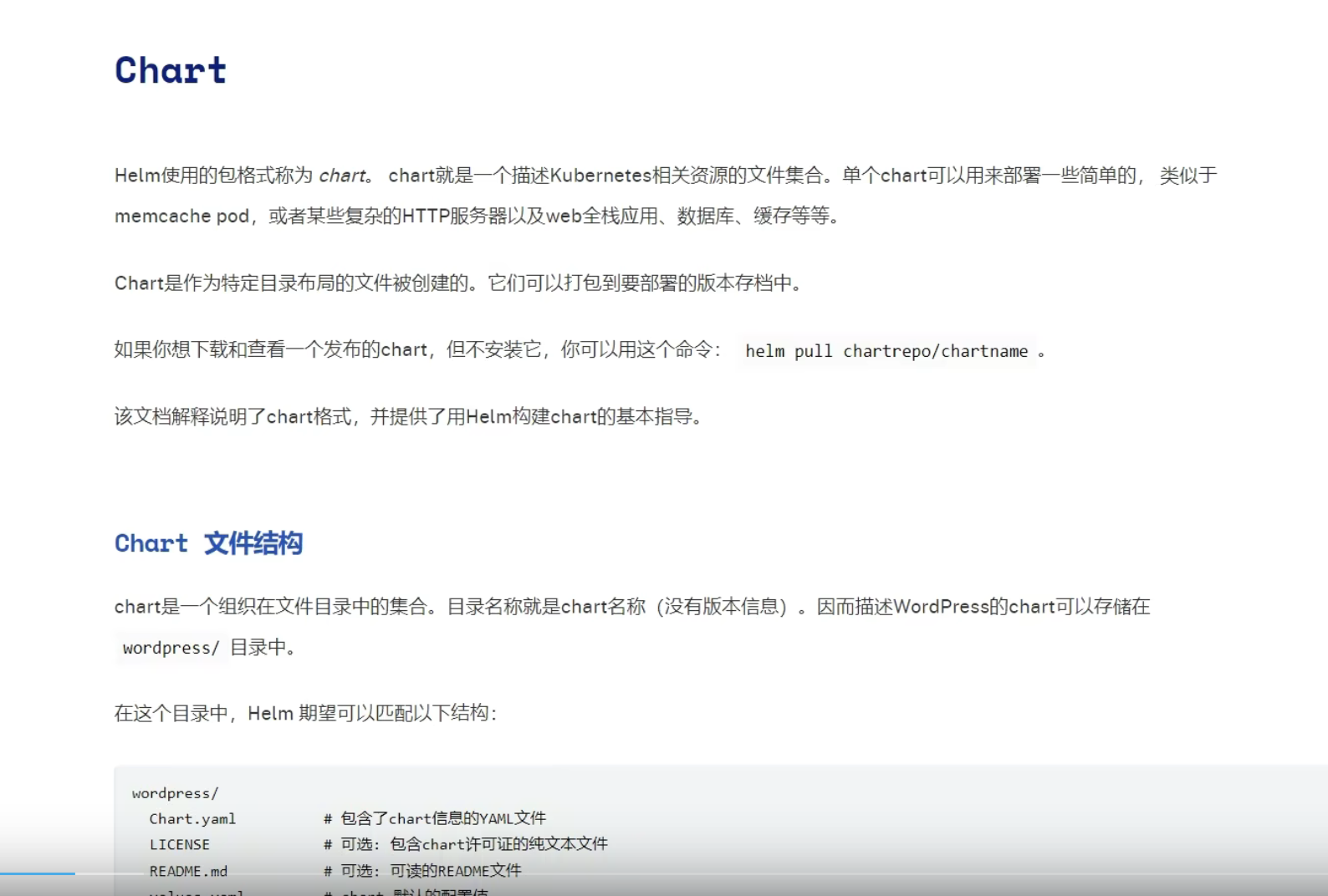
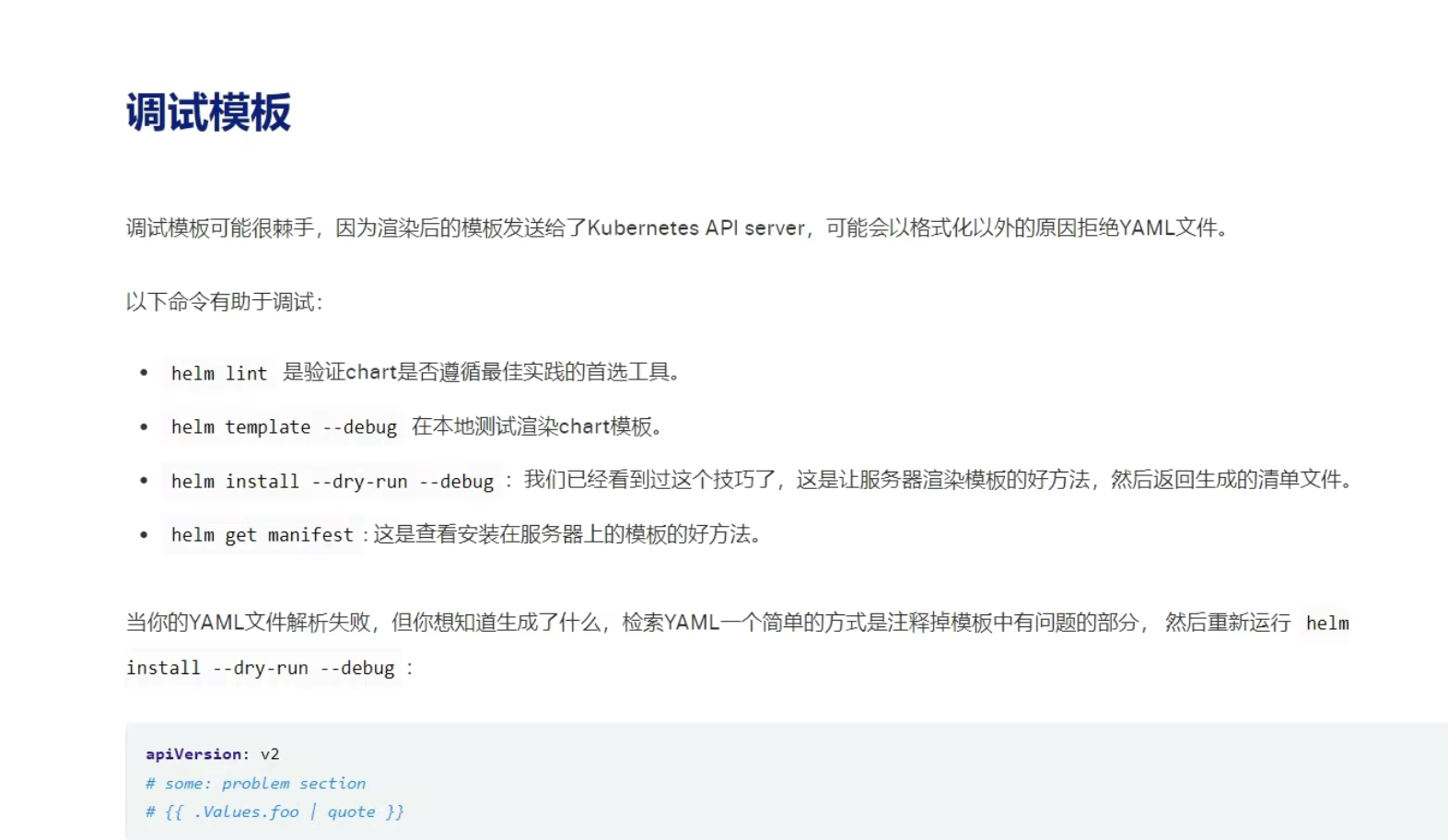
Helm使用入门

类似的还有kustomize

https://www.51cto.com/article/661820.html

https://github.com/kubernetes-sigs/kustomize

算是官方搞的~

其实就类似我们的edit这些操作


本文是对 Kubernetes/K8s 部署项目利器 Helm 的学习与记录


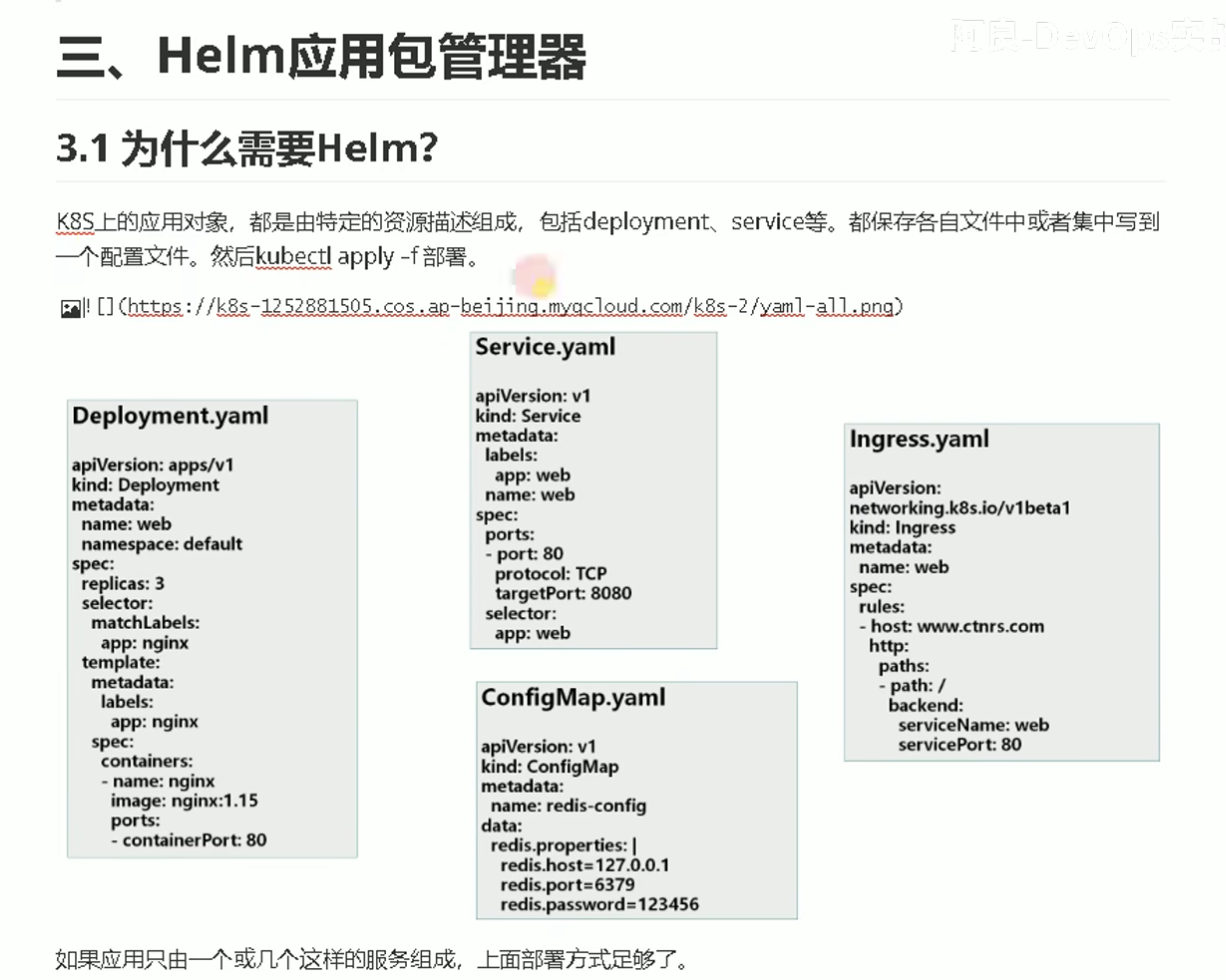
为什么要使用helm?


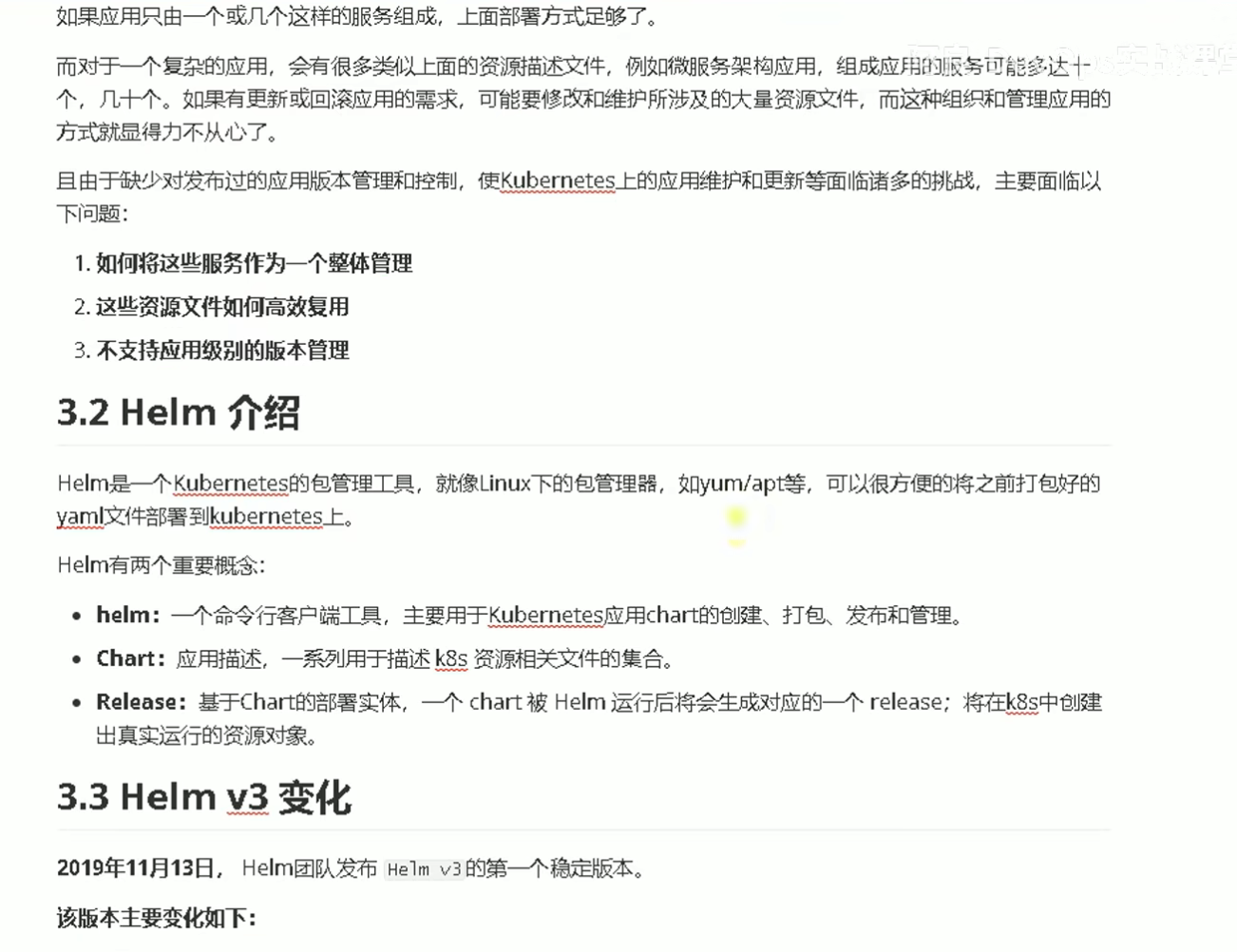
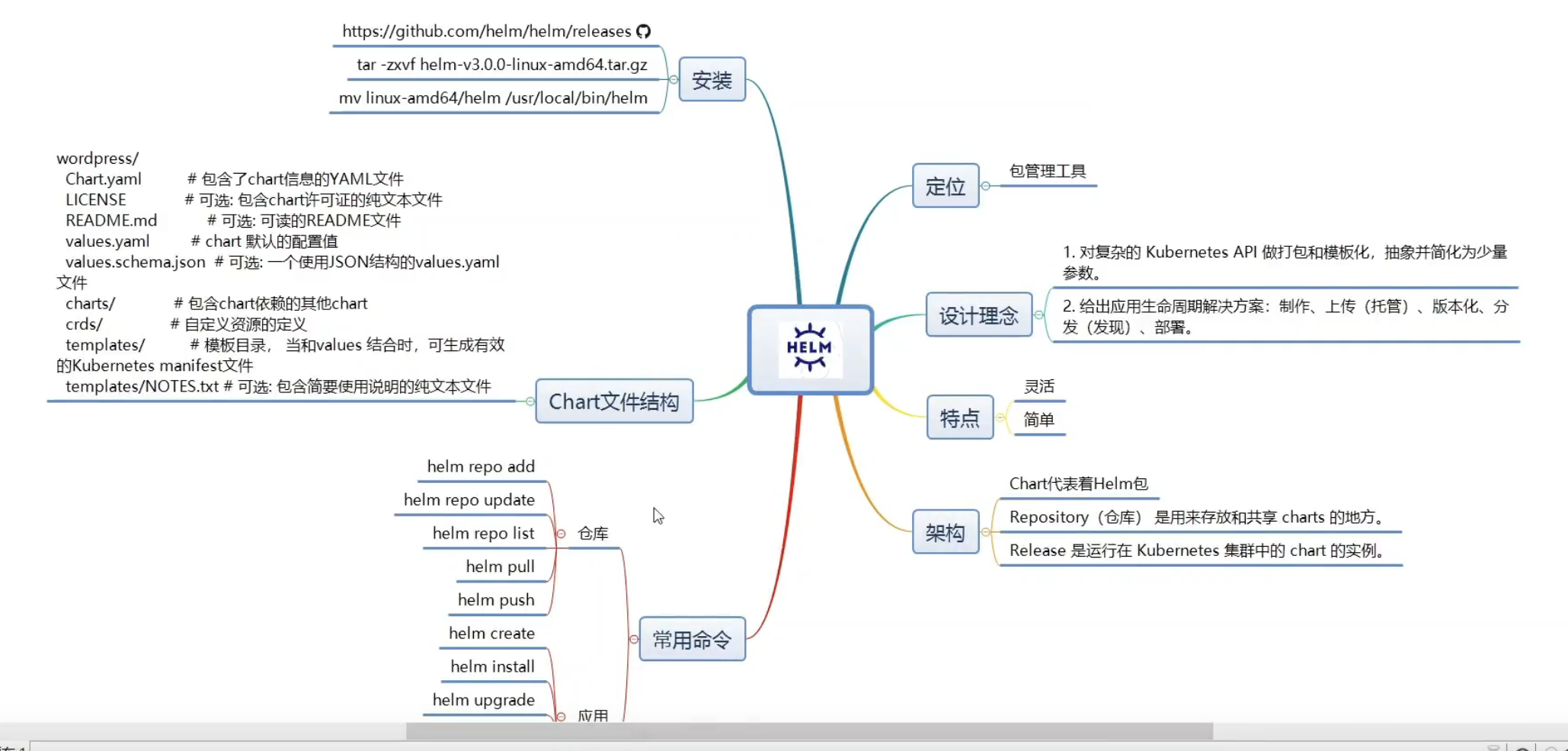
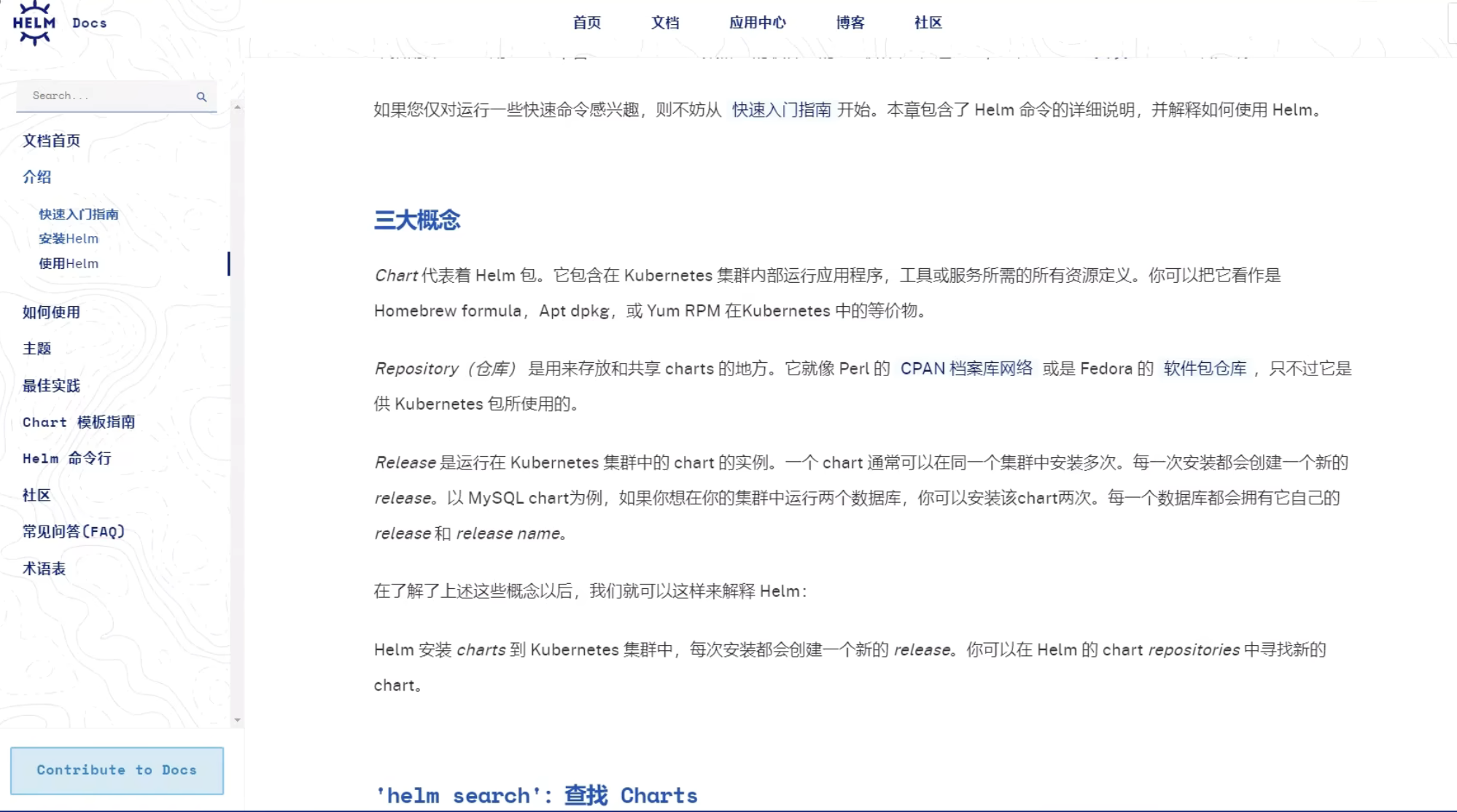
Helm作为Kubernetes的包管理工具,解决了使用YAML文件部署复杂应用时的问题。Helm可以将多个YAML文件打包成一个应用,实现统一的部署和管理,并支持应用级别的版本管理。它类似于YAML的包管理器,可以高效复用资源文件和解决依赖关系。

yum,brew等包管理器,很大程度是解决了依赖关系的问题


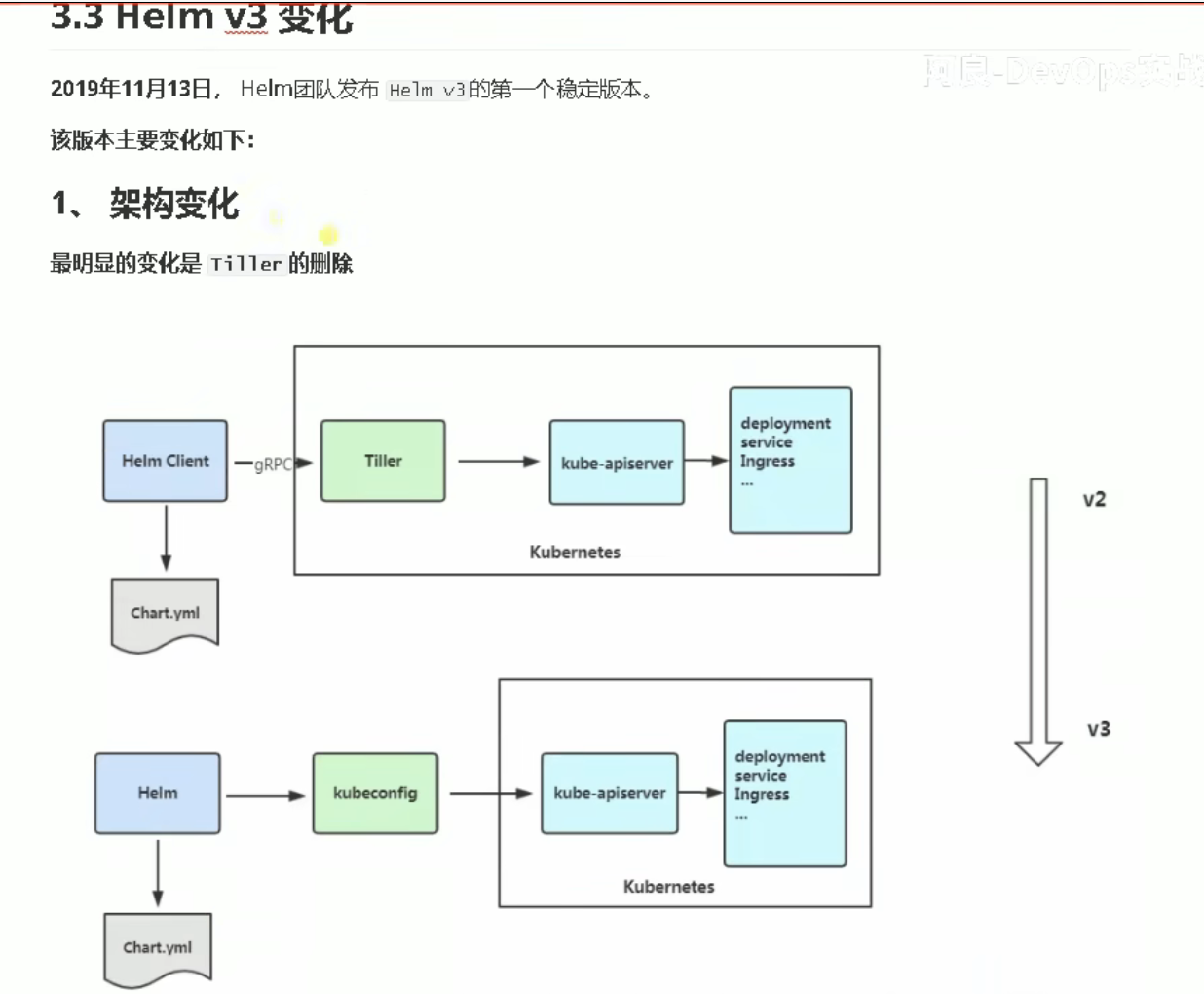
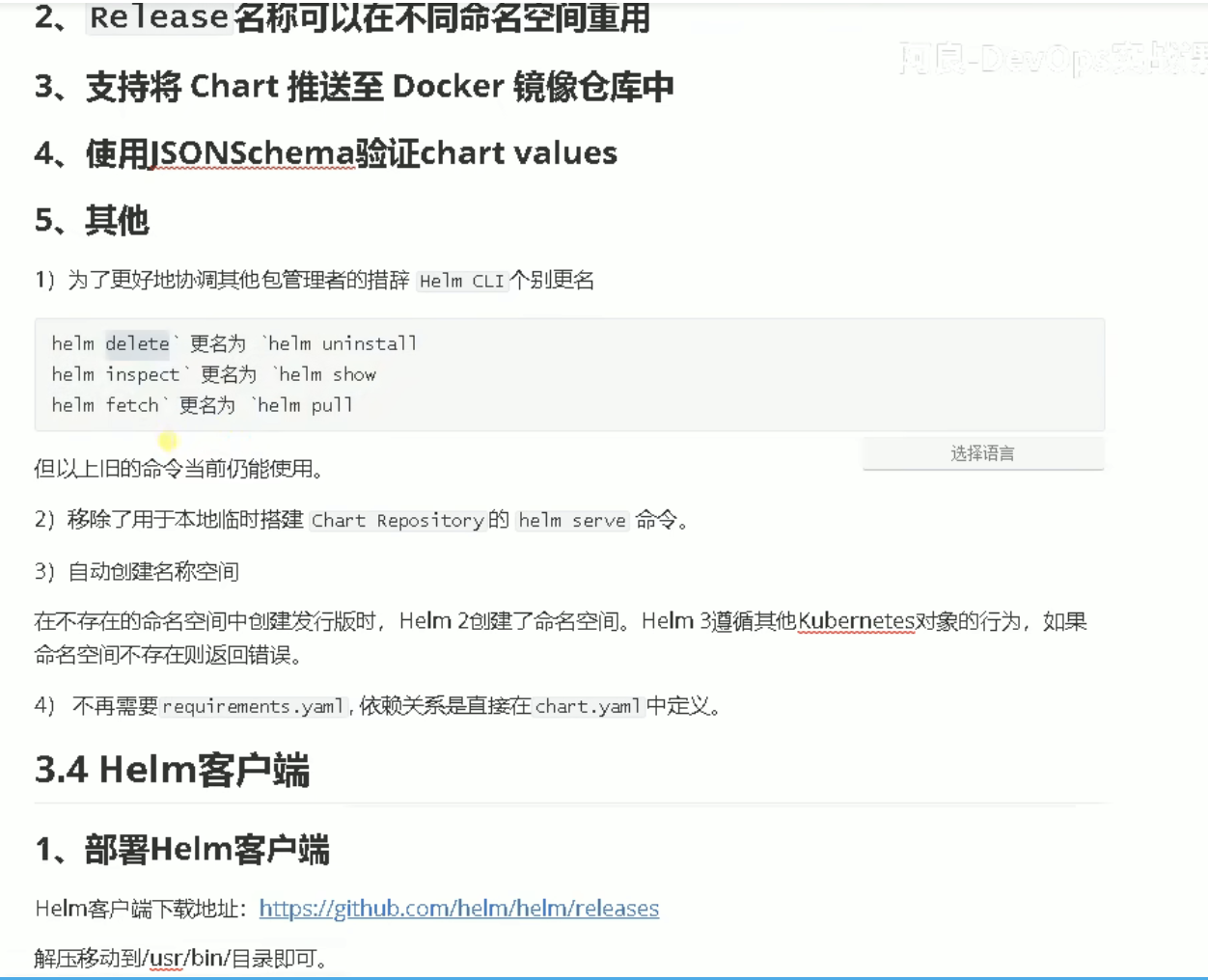
Helm概述及V3版本带变化


v3版本 部署啥的简化了很多,也合理很多。Tiller组件完全没什么必要有


安装,及常用命令


部署:

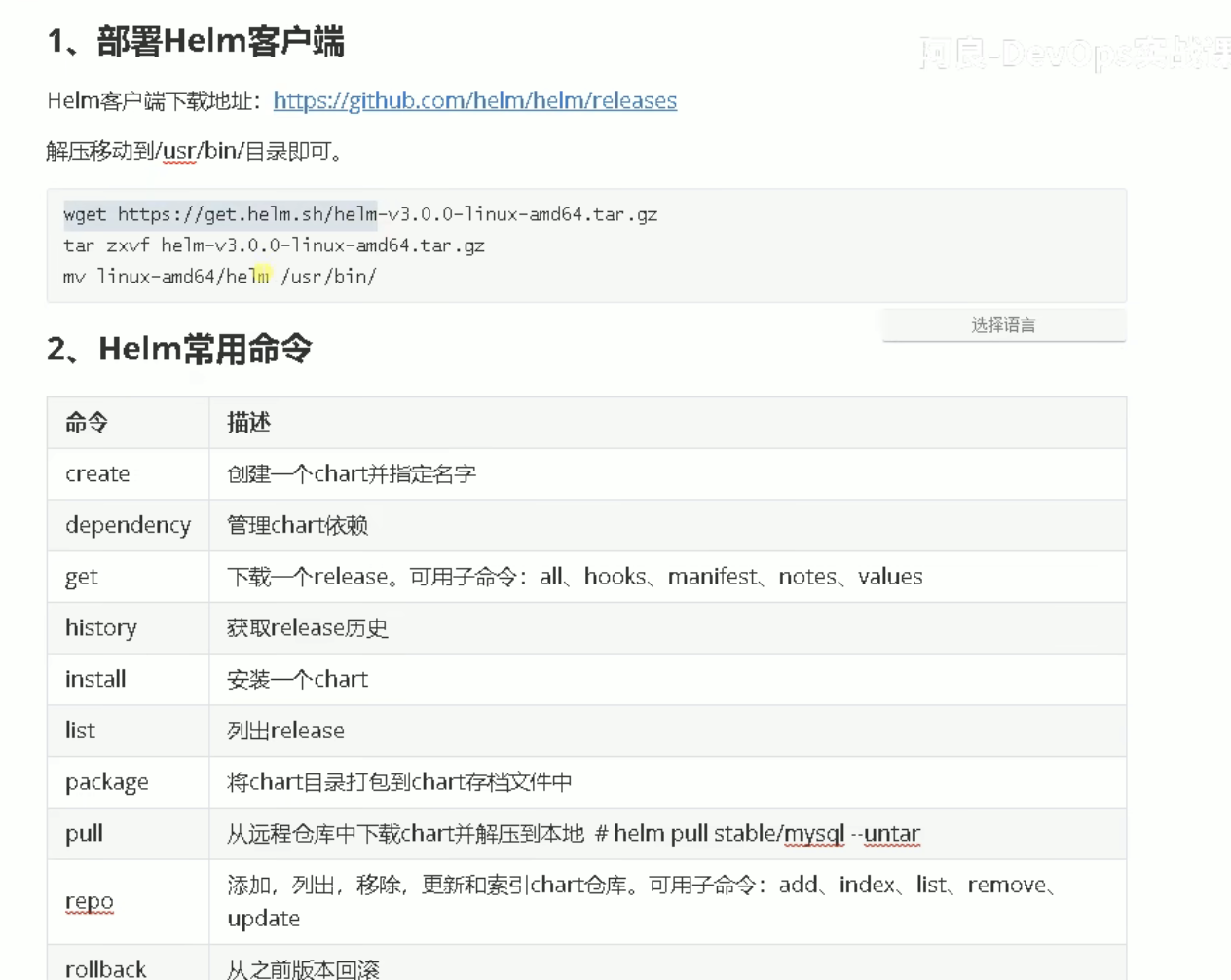
相关release: https://github.com/helm/helm/releases

以Linux amd64架构为例

1
2
3
4
5
6
7

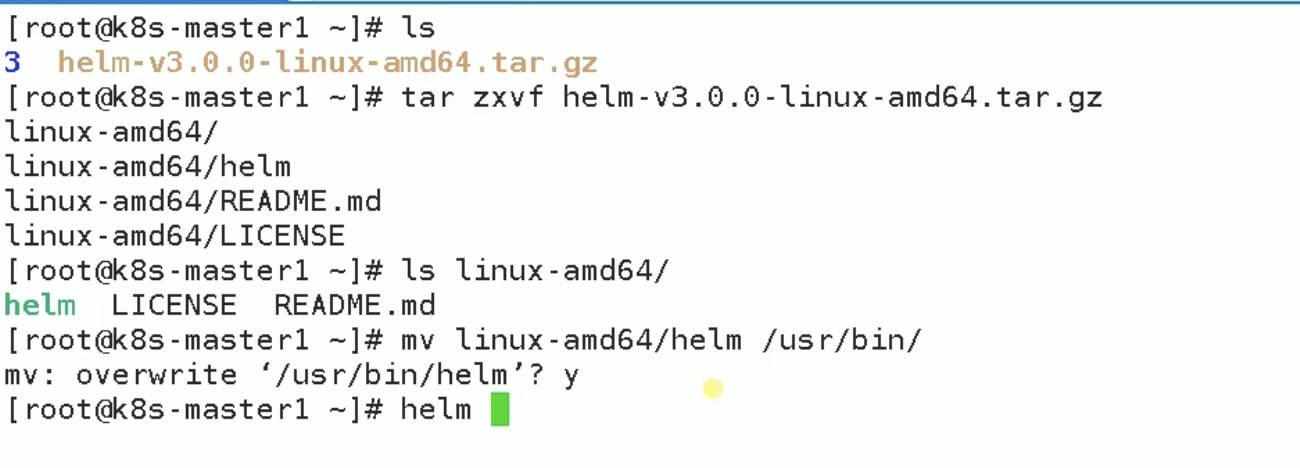
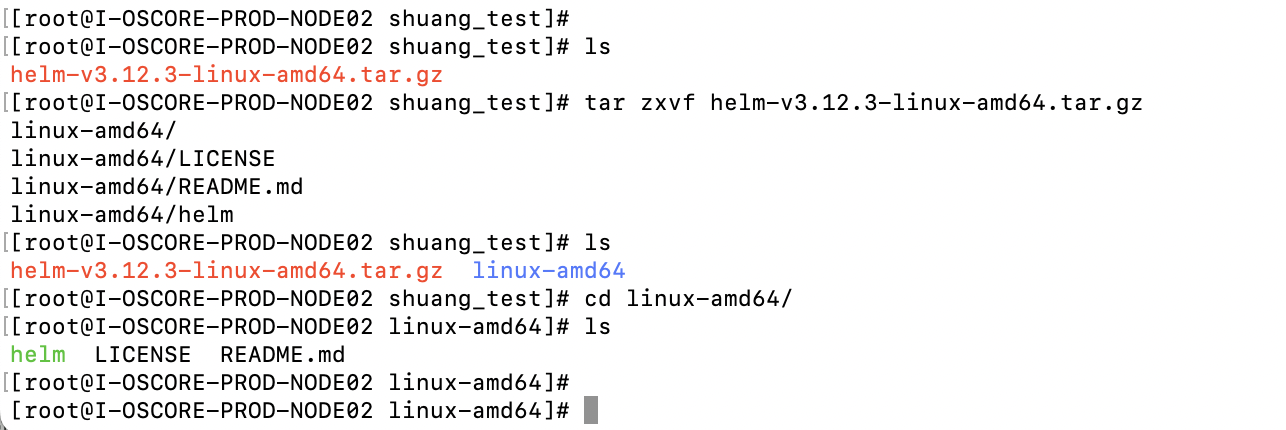
wget https://get.helm.sh/helm-v3.12.3-linux-amd64.tar.gz

tar zxvf helm-v3.12.3-linux-amd64.tar.gz


mv linux-amd64/helm /usr/bin/

【必看】真实企业场景下Helm&Kubectl的一些区别?

相应文本内容: 企业场景下Helm&Kubectl的一些区别?


Helm Dashboard|可视化应用管理工具

Helm Dashboard 是一个开源项目,提供了一种使用界面操作的方式来查看已安装的 Helm charts、查看它们的版本历史以及相关的 Kubernetes 资源。你还可以执行简单的操作,如回滚到先前的版本或升级到新版本。这个项目是 Komodor 公司的一部分,旨在帮助 Kubernetes 用户浏览和排查他们的集群问题,但请注意,这个项目并非 Helm 团队的官方项目。

工具的主要功能包括:

  1. 查看所有已安装的 charts 及其版本历史。
  2. 查看过去版本的清单差异。
  3. 浏览由 chart 生成的 Kubernetes 资源。
  4. 易于回滚或升级版本,同时提供清晰的清单差异。
  5. 集成了流行的问题扫描工具。
  6. 轻松切换多个集群。
  7. 可以本地使用,或安装到 Kubernetes 集群中,不需要安装 Helm 或 kubectl。

你可以使用独立的二进制文件安装 Helm Dashboard,无需安装 Helm 或 kubectl。还可以将其作为 Helm 插件安装,并在命令行中启动界面。对于 Kubernetes 集群的部署,可以使用官方的 Helm chart。此外,工具支持本地 charts,可以通过特殊的命令行参数指定本地 chart 文件夹的位置。

工具还支持执行 Helm chart 的测试,集成了 Trivy 和 Checkov 扫描工具,并提供了支持渠道,包括 Slack 社区和 GitHub 问题。

需要注意的是,工具会收集用户分析数据,但不会收集敏感信息,可以通过命令行参数禁用此功能。

总之,Helm Dashboard 提供了一个简化的方式来管理 Helm charts 和 Kubernetes 资源,使用户能够更轻松地浏览、维护和排查问题。


配置国内charts仓库


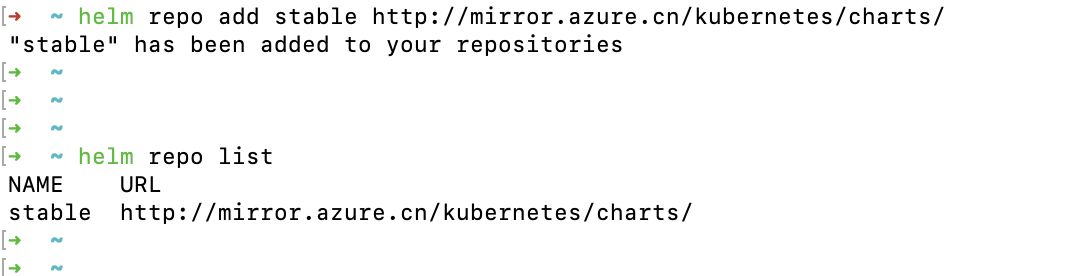
一般使用微软的(可以添加多个仓库)

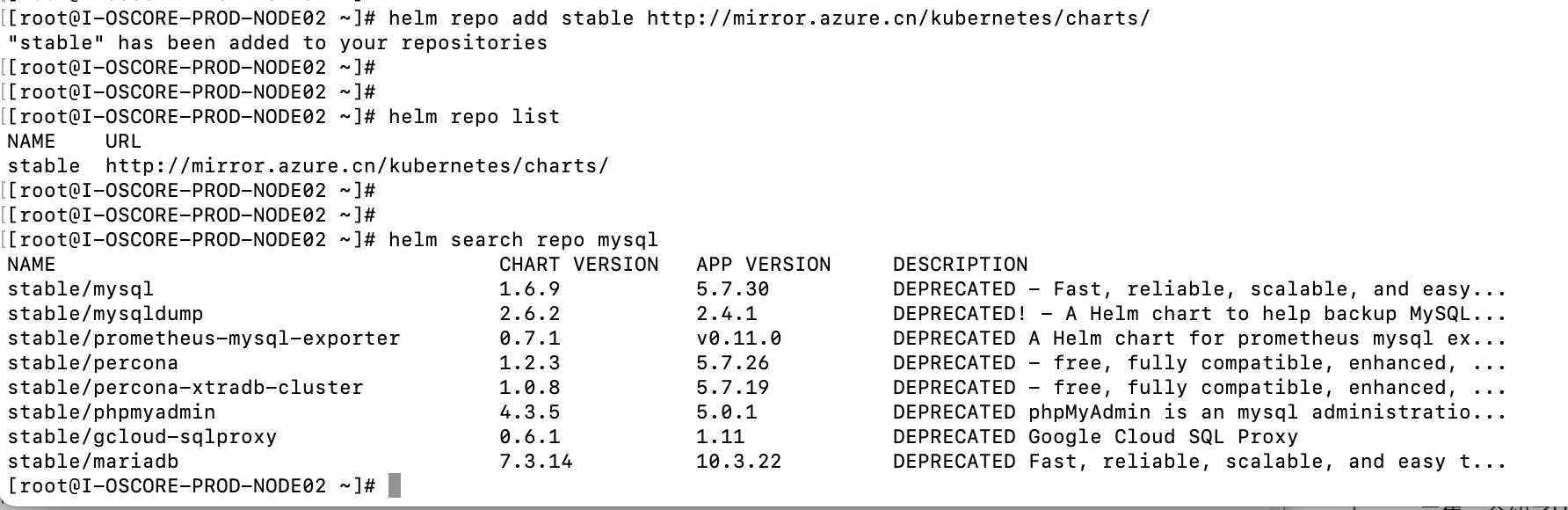
helm repo add stable http://mirror.azure.cn/kubernetes/charts/

https://841809077.github.io/2021/03/03/K8s/chart-command-collection.html

helm repo --help

1
2
3
4
5
6
7
8
9
10
11
12
13
14
15
16
17
18
19
20
21
22
23
24
25
26
27
28
29
30
31
32
33
34
35
36
This command consists of multiple subcommands to interact with chart repositories.

It can be used to add, remove, list, and index chart repositories.

Usage:
helm repo [command]

Available Commands:
add add a chart repository
index generate an index file given a directory containing packaged charts
list list chart repositories
remove remove one or more chart repositories
update update information of available charts locally from chart repositories

Flags:
-h, --help help for repo

Global Flags:
--burst-limit int client-side default throttling limit (default 100)
--debug enable verbose output
--kube-apiserver string the address and the port for the Kubernetes API server
--kube-as-group stringArray group to impersonate for the operation, this flag can be repeated to specify multiple groups.
--kube-as-user string username to impersonate for the operation
--kube-ca-file string the certificate authority file for the Kubernetes API server connection
--kube-context string name of the kubeconfig context to use
--kube-insecure-skip-tls-verify if true, the Kubernetes API server's certificate will not be checked for validity. This will make your HTTPS connections insecure
--kube-tls-server-name string server name to use for Kubernetes API server certificate validation. If it is not provided, the hostname used to contact the server is used
--kube-token string bearer token used for authentication
--kubeconfig string path to the kubeconfig file
-n, --namespace string namespace scope for this request
--registry-config string path to the registry config file (default "/root/.config/helm/registry/config.json")
--repository-cache string path to the file containing cached repository indexes (default "/root/.cache/helm/repository")
--repository-config string path to the file containing repository names and URLs (default "/root/.config/helm/repositories.yaml")

Use "helm repo [command] --help" for more information about a command.


搜索时只要包含关键字,都会列出来

可以添加多个仓库。搜索时前面会区分,这个chart是哪个仓库的


Helm部署MySQL


安装,升级,回滚

可以通过 helm show查看一个chart包的详细信息(比如前置依赖什么的)


helm show values stable/mysql

1
2
3
4
5
6
7
8
9
10
11
12
13
14
15
16
17
18
19
20
21
22
23
24
25
26
27
28
29
30
31
32
33
34
35
36
37
38
39
40
41
42
43
44
45
46
47
48
49
50
51
52
53
54
55
56
57
58
59
60
61
62
63
64
65
66
67
68
69
70
71
72
73
74
75
76
77
78
79
80
81
82
83
84
85
86
87
88
89
90
91
92
93
94
95
96
97
98
99
100
101
102
103
104
105
106
107
108
109
110
111
112
113
114
115
116
117
118
119
120
121
122
123
124
125
126
127
128
129
130
131
132
133
134
135
136
137
138
139
140
141
142
143
144
145
146
147
148
149
150
151
152
153
154
155
156
157
158
159
160
161
162
163
164
165
166
167
168
169
170
171
172
173
174
175
176
177
178
179
180
181
182
183
184
185
186
187
188
189
190
191
192
193
194
195
196
197
198
199
200
201
202
203
204
205
206
207
208
209
210
211
212
213
214
215
216
217
218
219
220
221
222
223
224
225
226
227
228
229
230
231
232
233
234
235
236
237
238
239
240
241
242
243
244
245
246
247
248
249
250
251
252
253
254
255
256
257
258
259
260
261
262
263
264
265
266
267
268
269
270
271
272
273
274
275
276
277
278
279
280
281
282
283
284
285
286
This command consists of multiple subcommands to display information about a chart

Usage:
helm show [command]

Aliases:
show, inspect

Available Commands:
all show all information of the chart
chart show the chart's definition
crds show the chart's CRDs
readme show the chart's README
values show the chart's values

Flags:
-h, --help help for show

Global Flags:
--burst-limit int client-side default throttling limit (default 100)
--debug enable verbose output
--kube-apiserver string the address and the port for the Kubernetes API server
--kube-as-group stringArray group to impersonate for the operation, this flag can be repeated to specify multiple groups.
--kube-as-user string username to impersonate for the operation
--kube-ca-file string the certificate authority file for the Kubernetes API server connection
--kube-context string name of the kubeconfig context to use
--kube-insecure-skip-tls-verify if true, the Kubernetes API server's certificate will not be checked for validity. This will make your HTTPS connections insecure
--kube-tls-server-name string server name to use for Kubernetes API server certificate validation. If it is not provided, the hostname used to contact the server is used
--kube-token string bearer token used for authentication
--kubeconfig string path to the kubeconfig file
-n, --namespace string namespace scope for this request
--registry-config string path to the registry config file (default "/root/.config/helm/registry/config.json")
--repository-cache string path to the file containing cached repository indexes (default "/root/.cache/helm/repository")
--repository-config string path to the file containing repository names and URLs (default "/root/.config/helm/repositories.yaml")

Use "helm show [command] --help" for more information about a command.
[root@I-OSCORE-PROD-NODE02 ~]#
[root@I-OSCORE-PROD-NODE02 ~]#
[root@I-OSCORE-PROD-NODE02 ~]# helm show values stable/mysql
## mysql image version
## ref: https://hub.docker.com/r/library/mysql/tags/
##
image: "mysql"
imageTag: "5.7.30"

strategy:
type: Recreate

busybox:
image: "busybox"
tag: "1.32"

testFramework:
enabled: true
image: "bats/bats"
tag: "1.2.1"
imagePullPolicy: IfNotPresent
securityContext: {}

## Specify password for root user
##
## Default: random 10 character string
# mysqlRootPassword: testing

## Create a database user
##
# mysqlUser:
## Default: random 10 character string
# mysqlPassword:

## Allow unauthenticated access, uncomment to enable
##
# mysqlAllowEmptyPassword: true

## Create a database
##
# mysqlDatabase:

## Specify an imagePullPolicy (Required)
## It's recommended to change this to 'Always' if the image tag is 'latest'
## ref: http://kubernetes.io/docs/user-guide/images/#updating-images
##
imagePullPolicy: IfNotPresent

## Additionnal arguments that are passed to the MySQL container.
## For example use --default-authentication-plugin=mysql_native_password if older clients need to
## connect to a MySQL 8 instance.
args: []

extraVolumes: |
# - name: extras
# emptyDir: {}

extraVolumeMounts: |
# - name: extras
# mountPath: /usr/share/extras
# readOnly: true

extraInitContainers: |
# - name: do-something
# image: busybox
# command: ['do', 'something']

## A string to add extra environment variables
# extraEnvVars: |
# - name: EXTRA_VAR
# value: "extra"

# Optionally specify an array of imagePullSecrets.
# Secrets must be manually created in the namespace.
# ref: https://kubernetes.io/docs/concepts/containers/images/#specifying-imagepullsecrets-on-a-pod
# imagePullSecrets:
# - name: myRegistryKeySecretName

## Node selector
## ref: https://kubernetes.io/docs/concepts/configuration/assign-pod-node/#nodeselector
nodeSelector: {}

## Affinity
## ref: https://kubernetes.io/docs/concepts/configuration/assign-pod-node/#affinity-and-anti-affinity
affinity: {}

## Tolerations for pod assignment
## Ref: https://kubernetes.io/docs/concepts/configuration/taint-and-toleration/
##
tolerations: []

livenessProbe:
initialDelaySeconds: 30
periodSeconds: 10
timeoutSeconds: 5
successThreshold: 1
failureThreshold: 3

readinessProbe:
initialDelaySeconds: 5
periodSeconds: 10
timeoutSeconds: 1
successThreshold: 1
failureThreshold: 3

## Persist data to a persistent volume
persistence:
enabled: true
## database data Persistent Volume Storage Class
## If defined, storageClassName: <storageClass>
## If set to "-", storageClassName: "", which disables dynamic provisioning
## If undefined (the default) or set to null, no storageClassName spec is
## set, choosing the default provisioner. (gp2 on AWS, standard on
## GKE, AWS & OpenStack)
##
# storageClass: "-"
accessMode: ReadWriteOnce
size: 8Gi
annotations: {}

## Use an alternate scheduler, e.g. "stork".
## ref: https://kubernetes.io/docs/tasks/administer-cluster/configure-multiple-schedulers/
##
# schedulerName:

## Security context
securityContext:
enabled: false
runAsUser: 999
fsGroup: 999

## Configure resource requests and limits
## ref: http://kubernetes.io/docs/user-guide/compute-resources/
##
resources:
requests:
memory: 256Mi
cpu: 100m

# Custom mysql configuration files path
configurationFilesPath: /etc/mysql/conf.d/

# Custom mysql configuration files used to override default mysql settings
configurationFiles: {}
# mysql.cnf: |-
# [mysqld]
# skip-name-resolve
# ssl-ca=/ssl/ca.pem
# ssl-cert=/ssl/server-cert.pem
# ssl-key=/ssl/server-key.pem

# Custom mysql init SQL files used to initialize the database
initializationFiles: {}
# first-db.sql: |-
# CREATE DATABASE IF NOT EXISTS first DEFAULT CHARACTER SET utf8 DEFAULT COLLATE utf8_general_ci;
# second-db.sql: |-
# CREATE DATABASE IF NOT EXISTS second DEFAULT CHARACTER SET utf8 DEFAULT COLLATE utf8_general_ci;

# To enaable the mysql X Protocol's port
# .. will expose the port 33060
# .. Note the X Plugin needs installation
# ref: https://dev.mysql.com/doc/refman/8.0/en/x-plugin-checking-installation.html
mysqlx:
port:
enabled: false

metrics:
enabled: false
image: prom/mysqld-exporter
imageTag: v0.10.0
imagePullPolicy: IfNotPresent
resources: {}
annotations: {}
# prometheus.io/scrape: "true"
# prometheus.io/port: "9104"
livenessProbe:
initialDelaySeconds: 15
timeoutSeconds: 5
readinessProbe:
initialDelaySeconds: 5
timeoutSeconds: 1
flags: []
serviceMonitor:
enabled: false
additionalLabels: {}

## Configure the service
## ref: http://kubernetes.io/docs/user-guide/services/
service:
annotations: {}
## Specify a service type
## ref: https://kubernetes.io/docs/concepts/services-networking/service/#publishing-services---service-types
type: ClusterIP
port: 3306
# nodePort: 32000
# loadBalancerIP:

## Pods Service Account
## ref: https://kubernetes.io/docs/tasks/configure-pod-container/configure-service-account/
serviceAccount:
## Specifies whether a ServiceAccount should be created
##
create: false
## The name of the ServiceAccount to use.
## If not set and create is true, a name is generated using the mariadb.fullname template
# name:

ssl:
enabled: false
secret: mysql-ssl-certs
certificates:
# - name: mysql-ssl-certs
# ca: |-
# -----BEGIN CERTIFICATE-----
# ...
# -----END CERTIFICATE-----
# cert: |-
# -----BEGIN CERTIFICATE-----
# ...
# -----END CERTIFICATE-----
# key: |-
# -----BEGIN RSA PRIVATE KEY-----
# ...
# -----END RSA PRIVATE KEY-----

## Populates the 'TZ' system timezone environment variable
## ref: https://dev.mysql.com/doc/refman/5.7/en/time-zone-support.html
##
## Default: nil (mysql will use image's default timezone, normally UTC)
## Example: 'Australia/Sydney'
# timezone:

# Deployment Annotations
deploymentAnnotations: {}

# To be added to the database server pod(s)
podAnnotations: {}
podLabels: {}

## Set pod priorityClassName
# priorityClassName: {}


## Init container resources defaults
initContainer:
resources:
requests:
memory: 10Mi
cpu: 10m


上面这些内容是动态定义一些资源

需要指定一个名称,如叫shuang-db

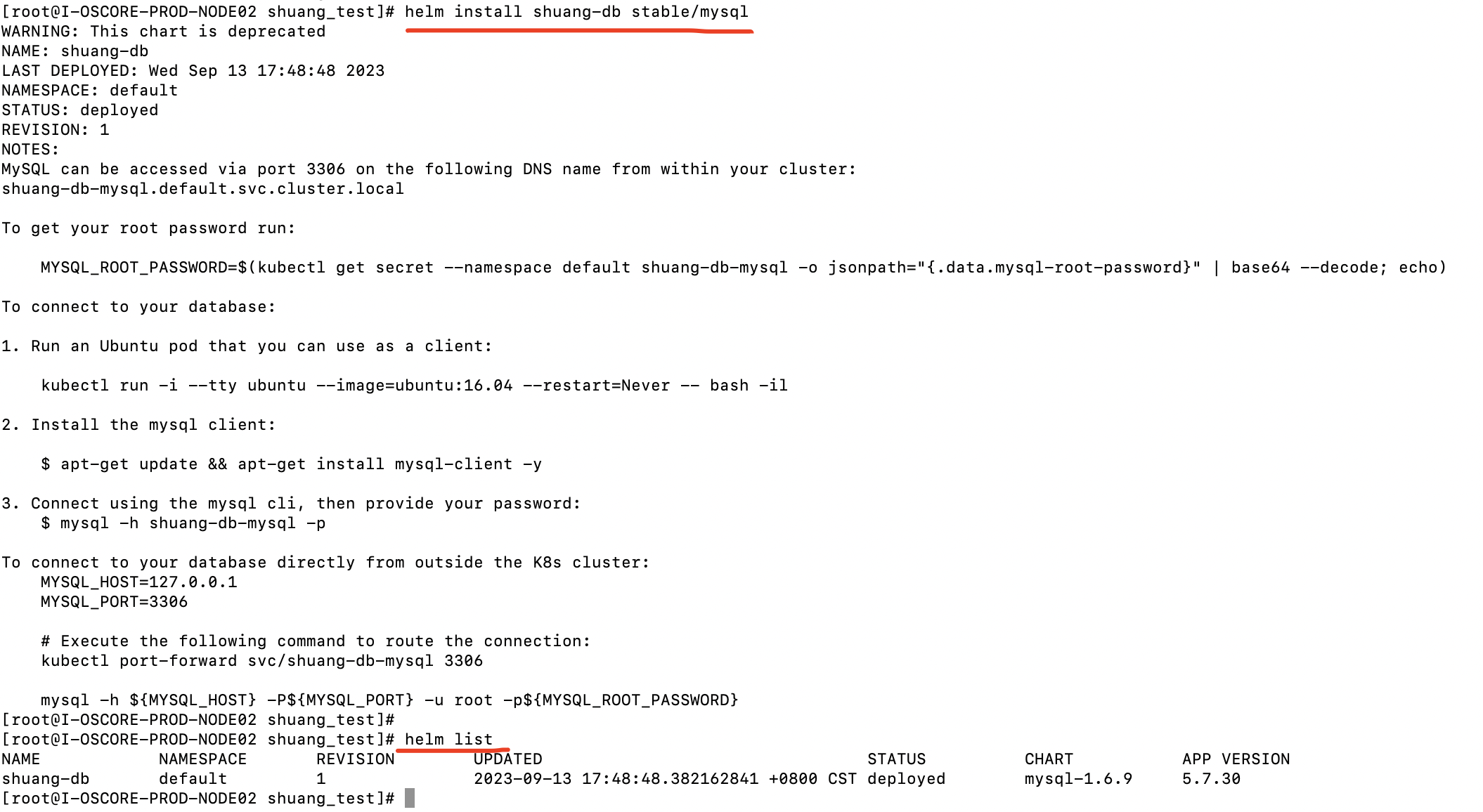
helm install shuang-db stable/mysql

1
2
3
4
5
6
7
8
9
10
11
12
13
14
15
16
17
18
19
20
21
22
23
24
25
26
27
28
29
30
31
32
33
34
35
WARNING: This chart is deprecated
NAME: shuang-db
LAST DEPLOYED: Wed Sep 13 17:48:48 2023
NAMESPACE: default
STATUS: deployed
REVISION: 1
NOTES:
MySQL can be accessed via port 3306 on the following DNS name from within your cluster:
shuang-db-mysql.default.svc.cluster.local

To get your root password run:

MYSQL_ROOT_PASSWORD=$(kubectl get secret --namespace default shuang-db-mysql -o jsonpath="{.data.mysql-root-password}" | base64 --decode; echo)

To connect to your database:

1. Run an Ubuntu pod that you can use as a client:

kubectl run -i --tty ubuntu --image=ubuntu:16.04 --restart=Never -- bash -il

2. Install the mysql client:

$ apt-get update && apt-get install mysql-client -y

3. Connect using the mysql cli, then provide your password:
$ mysql -h shuang-db-mysql -p

To connect to your database directly from outside the K8s cluster:
MYSQL_HOST=127.0.0.1
MYSQL_PORT=3306

# Execute the following command to route the connection:
kubectl port-forward svc/shuang-db-mysql 3306

mysql -h ${MYSQL_HOST} -P${MYSQL_PORT} -u root -p${MYSQL_ROOT_PASSWORD}

这些信息提示如何获取密码,如何进行测试等


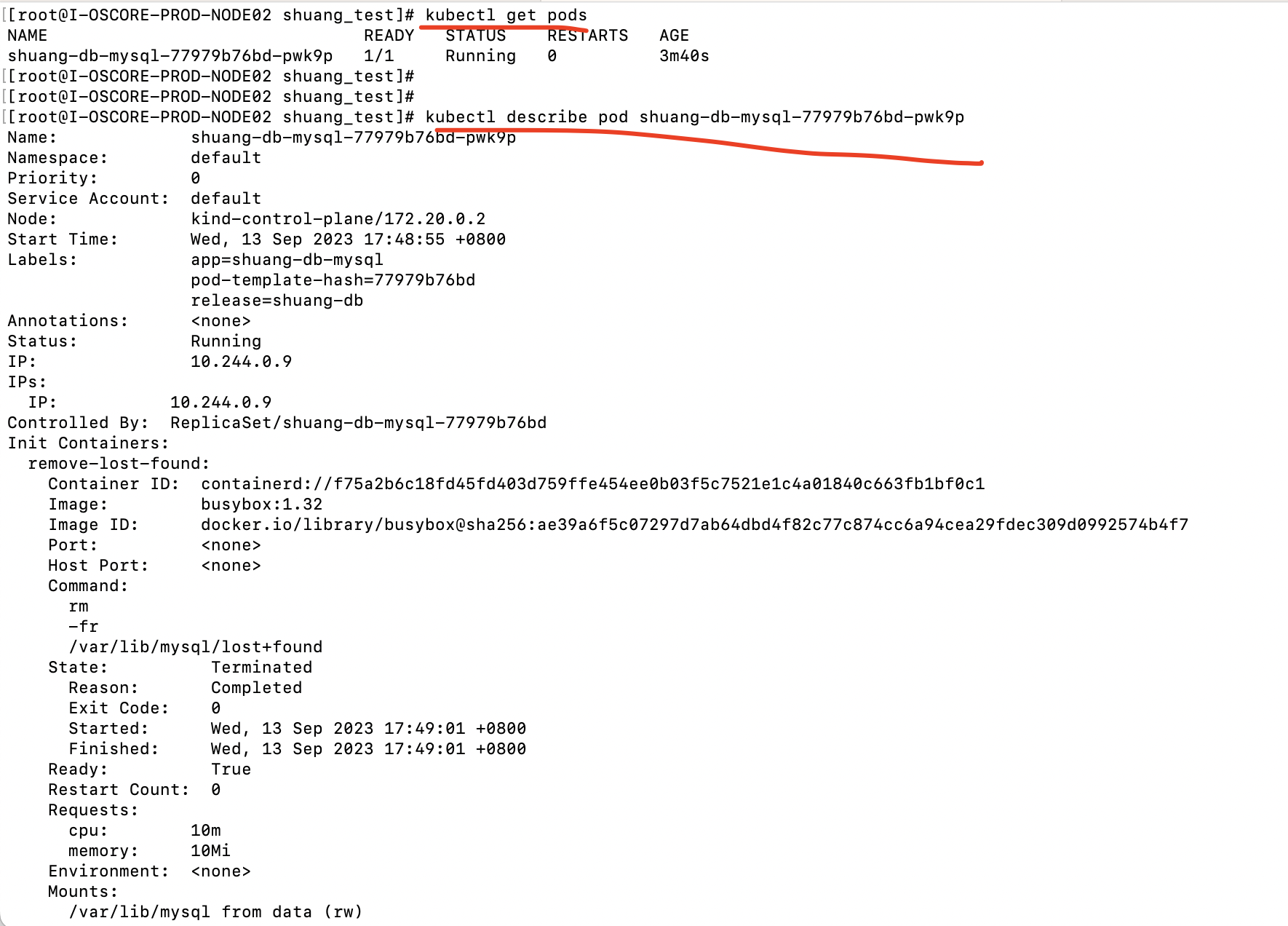
helm list查看部署状态


如果pod是pending状态,则可以describe看一下,大概率是没绑定到PV。需要创建一个PV(网上找个yaml,改一下,然后kubectl apply -f xxx.yaml一下)


上面给到的测试命令:

1
2
3
4
5
6
7
8
9
10
11
12
# 获取随机密码

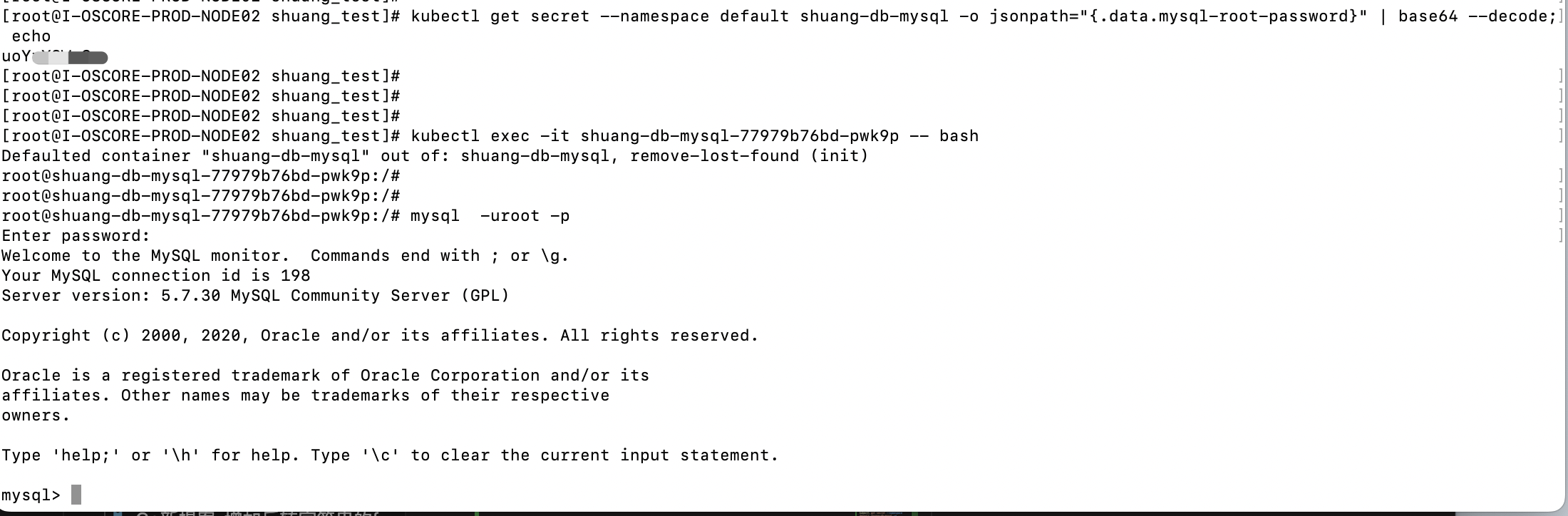
kubectl get secret --namespace default shuang-db-mysql -o jsonpath="{.data.mysql-root-password}" | base64 --decode; echo


# 创建一个ubuntu的容器

kubectl run -i --tty ubuntu --image=ubuntu:16.04 --restart=Never -- bash -il

# 安装mysql客户端
apt-get update && apt-get install mysql-client -y

也可以直接进到pod中,kubectl exec -it shuang-db-mysql-77979b76bd-pwk9p -- bash

执行
mysql -h ${MYSQL_HOST} -P${MYSQL_PORT} -u root -p${MYSQL_ROOT_PASSWORD}

mysql -uroot -p

即可


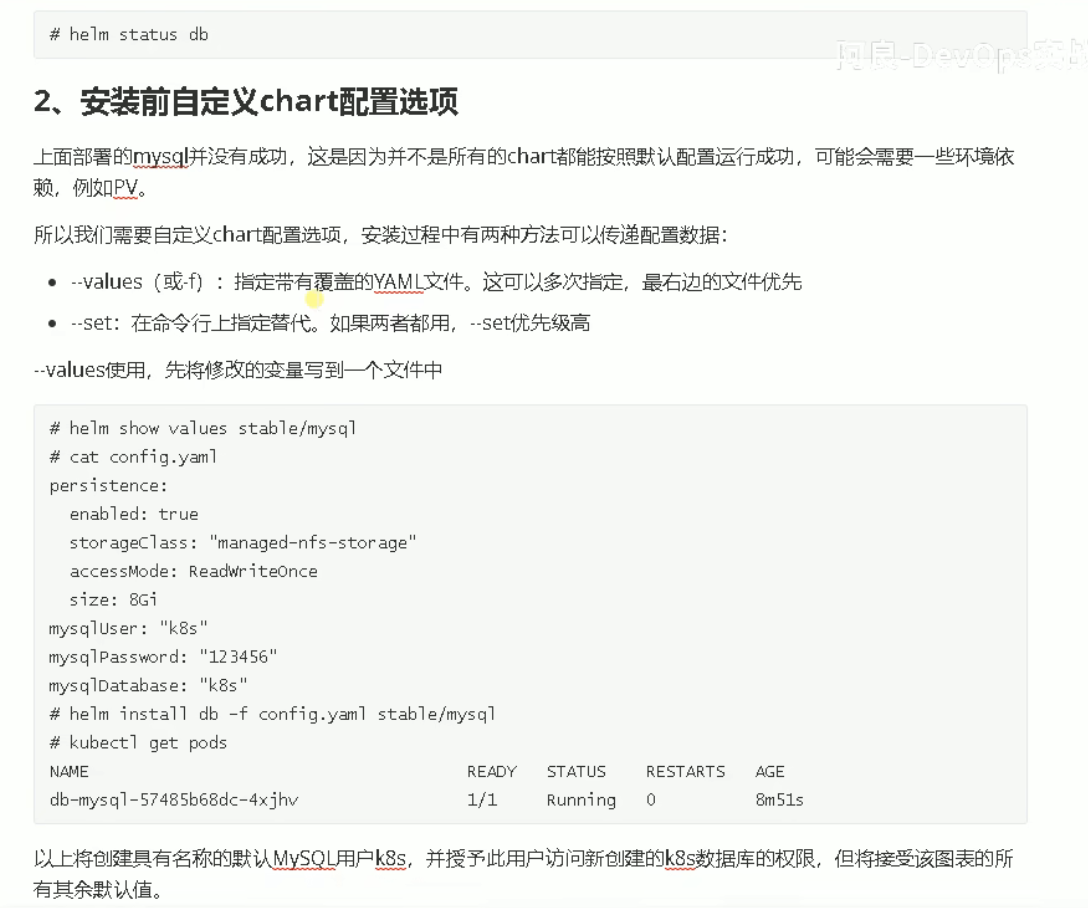
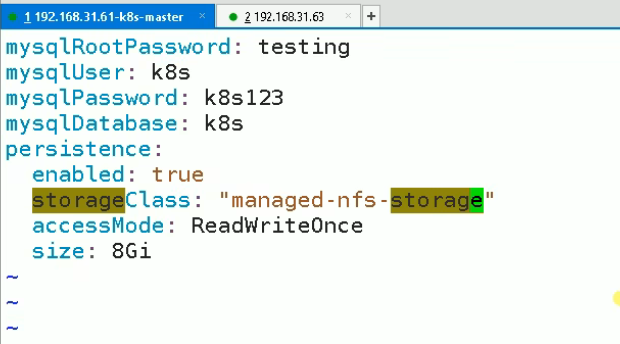
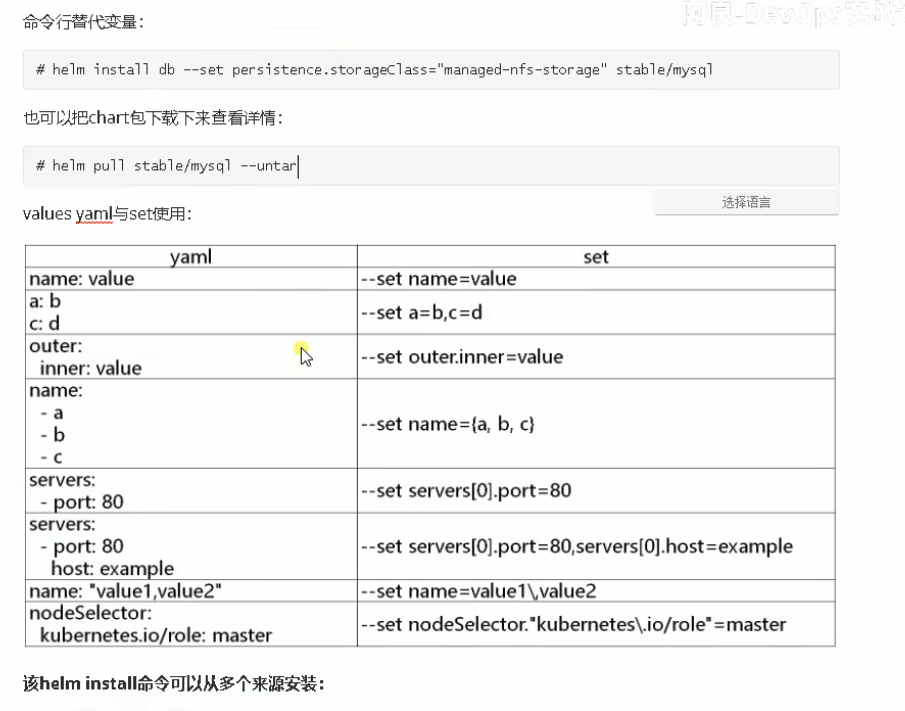
Helm安装前修改Chart默认配置


1
2
3
 kubectl get sc
NAME PROVISIONER RECLAIMPOLICY VOLUMEBINDINGMODE ALLOWVOLUMEEXPANSION AGE
standard (default) rancher.io/local-path Delete WaitForFirstConsumer false 153
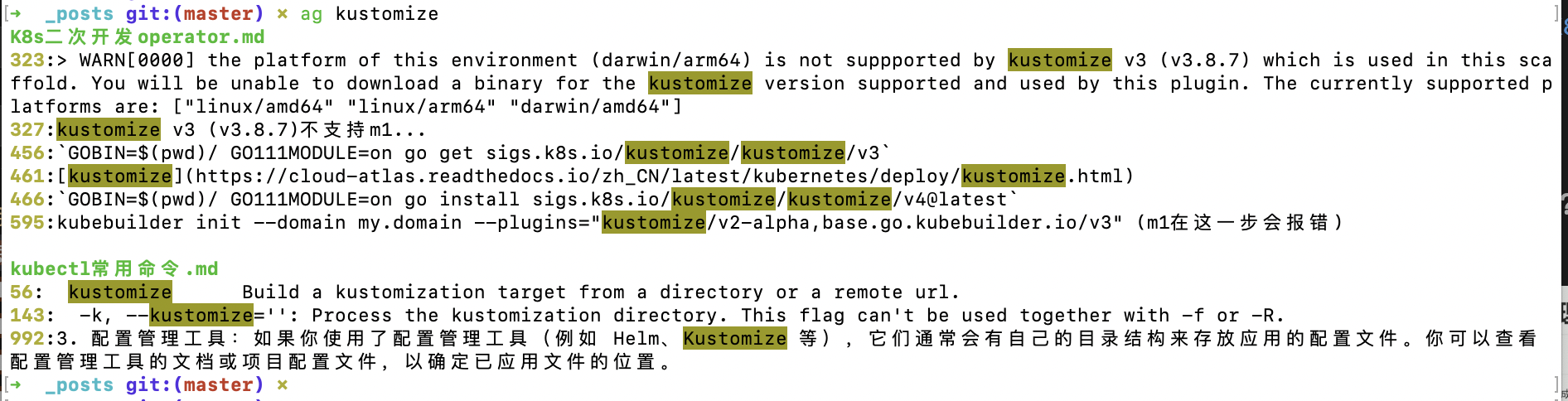
本身有 standard (default) 这个自动供给


k8s中sc是什么?


在 Kubernetes 中,SC 是 StorageClass 的简称,它是用于定义持久化存储的一种资源类型。StorageClass 允许管理员定义不同类型的存储,并在集群中供应给应用程序使用。

StorageClass 提供了一种抽象层,使得应用程序可以动态地请求持久化存储资源,而无需关注底层存储的具体细节。在创建 PersistentVolumeClaim (PVC) 时,可以指定要使用的 StorageClass。当 PVC 被创建并绑定到 PersistentVolume (PV) 上时,Kubernetes 将根据 StorageClass 的定义自动为 PVC 创建合适的存储资源。

通过使用 StorageClass,管理员可以定义各种不同类型的存储,如高性能存储、低成本存储、SSD 存储等,并为每个类型配置不同的参数,如存储容量、访问模式、复制策略等。应用程序可以根据自身需求选择适合的 StorageClass,并在需要时创建 PVC。

下面是一个 StorageClass 的示例定义:

1
2
3
4
5
6
7
8
apiVersion: storage.k8s.io/v1
kind: StorageClass
metadata:
name: fast-storage
provisioner: example.com/fast-storage
parameters:
type: ssd
size: 100Gi

在上述示例中,我们定义了一个名为 fast-storage 的 StorageClass,使用 example.com/fast-storage 作为存储分配器,参数设置为 type: ssdsize: 100Gi。存储分配器是负责创建实际存储资源的组件,可以是 Kubernetes 提供的默认存储插件,也可以是第三方存储插件。

使用 StorageClass,应用程序可以通过创建 PVC 并指定 storageClassName: fast-storage 来获取一个符合定义的存储资源。

总结来说,StorageClass 是 Kubernetes 中用于定义不同类型存储的资源类型,它提供了一种抽象层,使得应用程序可以动态地请求持久化存储资源,并根据管理员预定义的规则获取适合的存储资源。


这个东西叫自动供给吗?


是的,StorageClass 的一个重要功能是实现自动供给(Automatic Provisioning)。

通过定义不同的 StorageClass,并指定相应的存储分配器(Provisioner),Kubernetes 可以根据 PVC 的需求自动创建并绑定适合的 PersistentVolume。这个过程称为自动供给。

当创建一个 PVC 并指定了一个特定的 StorageClass,Kubernetes 会根据该 StorageClass 的定义和可用的存储资源来决定如何满足 PVC 的需求。如果没有现成的 PersistentVolume 可以匹配,存储分配器就会根据定义的策略(如云供应商的 API 调用、创建新的存储卷等)来创建新的 PersistentVolume,并将其绑定到 PVC 上。

这种自动供给的机制使得应用程序开发者无需手动创建和管理 PersistentVolume,而是通过声明 PVC 和适当的 StorageClass,Kubernetes 会负责自动创建所需的持久化存储资源。这大大简化了存储管理的工作,并提高了系统的灵活性和可扩展性。

需要注意的是,自动供给仅在满足以下条件时才会发生:

  1. 集群中已经配置了可用的存储插件和存储分配器。
  2. PVC 明确指定了一个具体的 StorageClass。
  3. 没有现成的 PersistentVolume 可以匹配 PVC 的需求。

因此,通过使用 StorageClass 和自动供给机制,Kubernetes 提供了一种便捷的方式来动态分配和管理持久化存储资源,简化了存储管理的任务。


helm install cui-db -f value.yaml stable/mysql


https://helm.sh/zh/docs/

如何编写 Helm Chart:

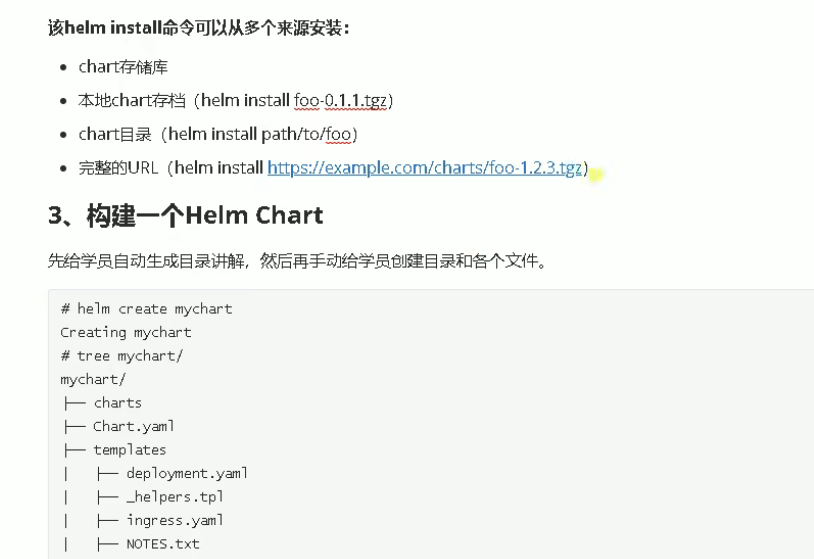
https://helm.sh/zh/docs/topics/charts/