缘起:
编译下面这段代码时,在Mac上没有什么问题,正常运行,
点击查看代码:
1
2
3
4
5
6
7
8
9
10
11
12
13
14
15
16
17
18
19
20
21
22
23
24
25
26
27
28
29
30
31
32
33
34
35
36
37
38
39
40
41
42
43
44
45
46
47
48
49
50
51
52
53
54
55
56
57
58
59
60
61
62
63
64
65
66
67
68
69
70
71
72
73
74
75
76
77
78
79
80
81
82
83
84
85
86
87
88
89
90
91
92
93
94
95
96
97
98
99
100
101
102
103
104
105
106
107
108
109
110
111
112
113
114
115
116
117
118
119
120
121
122
123
124
125
126
127
128
129
130
131
132
133
134
135
136
137
138
139
140
141
142
143
144
145
146
147
148
149
150
151
152
153
154
155
156
157
158
159
160
161
162
163
164
165
166
167
168
169
170
171
172
173
174
175
176
177
178
179
180
181
182
183
184
185
package mainimport ( "bytes" "encoding/binary" "encoding/json" "fmt" "log" "math/rand" "net/http" "time" ) func main () http.HandleFunc("/register" , deal) fmt.Println("1111:" , 2222 ) err := http.ListenAndServe(":8088" , nil ) if err != nil { log.Fatal("ListenAndServe: " , err) } } func deal (w http.ResponseWriter, r *http.Request) decoder := json.NewDecoder(r.Body) var params map [string ]string decoder.Decode(¶ms) name := params["name" ] rand.Seed(time.Now().UnixNano()) key := crack(name) fmt.Println("name:" , name, " key:" , crack(name)) fmt.Fprintf(w, key) } const ( rounds = 12 roundKeys = 2 * (rounds + 1 ) ) func crack (text string ) string { name := []byte (text) length := len (name) + 4 padded := ((-length) & (8 - 1 )) + length bs := make ([]byte , 4 ) binary.BigEndian.PutUint32(bs, uint32 (len (name))) buff := bytes.Buffer{} buff.Write(bs) buff.Write(name) var ckName int64 = 0x7a21c951691cd470 var ckKey int64 = -5408575981733630035 ck := newCkCipher(ckName) outBuff := bytes.Buffer{} for i := 0 ; i < padded; i += 8 { bf := buff.Bytes()[i : i+8 ] buf := bytes.NewBuffer(bf) var nowVar int64 if err := binary.Read(buf, binary.BigEndian, &nowVar); err != nil { panic (err) } dd := ck.encrypt(nowVar) outBuff.WriteByte(byte (dd >> 56 )) outBuff.WriteByte(byte (dd >> 48 )) outBuff.WriteByte(byte (dd >> 40 )) outBuff.WriteByte(byte (dd >> 32 )) outBuff.WriteByte(byte (dd >> 24 )) outBuff.WriteByte(byte (dd >> 16 )) outBuff.WriteByte(byte (dd >> 8 )) outBuff.WriteByte(byte (dd)) } var n int32 for _, b := range outBuff.Bytes() { n = rotateLeft(n^int32 (int8 (b)), 0x3 ) } prefix := n ^ 0x54882f8a suffix := rand.Int31() in := int64 (prefix) << 32 s := int64 (suffix) switch suffix >> 16 { case 0x0401 : case 0x0402 : case 0x0403 : in |= s break default : in |= 0x01000000 | (s & 0xffffff ) break } out := newCkCipher(ckKey).decrypt(in) var n2 int64 for i := 56 ; i >= 0 ; i -= 8 { n2 ^= int64 ((uint64 (in) >> i) & 0xff ) } vv := int32 (n2 & 0xff ) if vv < 0 { vv = -vv } return fmt.Sprintf("%02x%016x" , vv, uint64 (out)) } type ckCipher struct { rk [roundKeys]int32 } func newCkCipher (ckKey int64 ) ck := ckCipher{} var ld [2 ]int32 ld[0 ] = int32 (ckKey) ld[1 ] = int32 (uint64 (ckKey) >> 32 ) ck.rk[0 ] = -1209970333 for i := 1 ; i < roundKeys; i++ { ck.rk[i] = ck.rk[i-1 ] + -1640531527 } var a, b int32 var i, j int for k := 0 ; k < 3 *roundKeys; k++ { ck.rk[i] = rotateLeft(ck.rk[i]+(a+b), 3 ) a = ck.rk[i] ld[j] = rotateLeft(ld[j]+(a+b), a+b) b = ld[j] i = (i + 1 ) % roundKeys j = (j + 1 ) % 2 } return ck } func (ck ckCipher) int64 ) int64 { a := int32 (in) + ck.rk[0 ] b := int32 (uint64 (in)>>32 ) + ck.rk[1 ] for r := 1 ; r <= rounds; r++ { a = rotateLeft(a^b, b) + ck.rk[2 *r] b = rotateLeft(b^a, a) + ck.rk[2 *r+1 ] } return pkLong(a, b) } func (ck ckCipher) int64 ) int64 { a := int32 (in) b := int32 (uint64 (in) >> 32 ) for i := rounds; i > 0 ; i-- { b = rotateRight(b-ck.rk[2 *i+1 ], a) ^ a a = rotateRight(a-ck.rk[2 *i], b) ^ b } b -= ck.rk[1 ] a -= ck.rk[0 ] return pkLong(a, b) } func rotateLeft (x int32 , y int32 ) int32 { return int32 (x<<(y&(32 -1 ))) | int32 (uint32 (x)>>(32 -(y&(32 -1 )))) } func rotateRight (x int32 , y int32 ) int32 { return int32 (uint32 (x)>>(y&(32 -1 ))) | int32 (x<<(32 -(y&(32 -1 )))) } func pkLong (a int32 , b int32 ) int64 { return (int64 (a) & 0xffffffff ) | (int64 (b) << 32 ) }
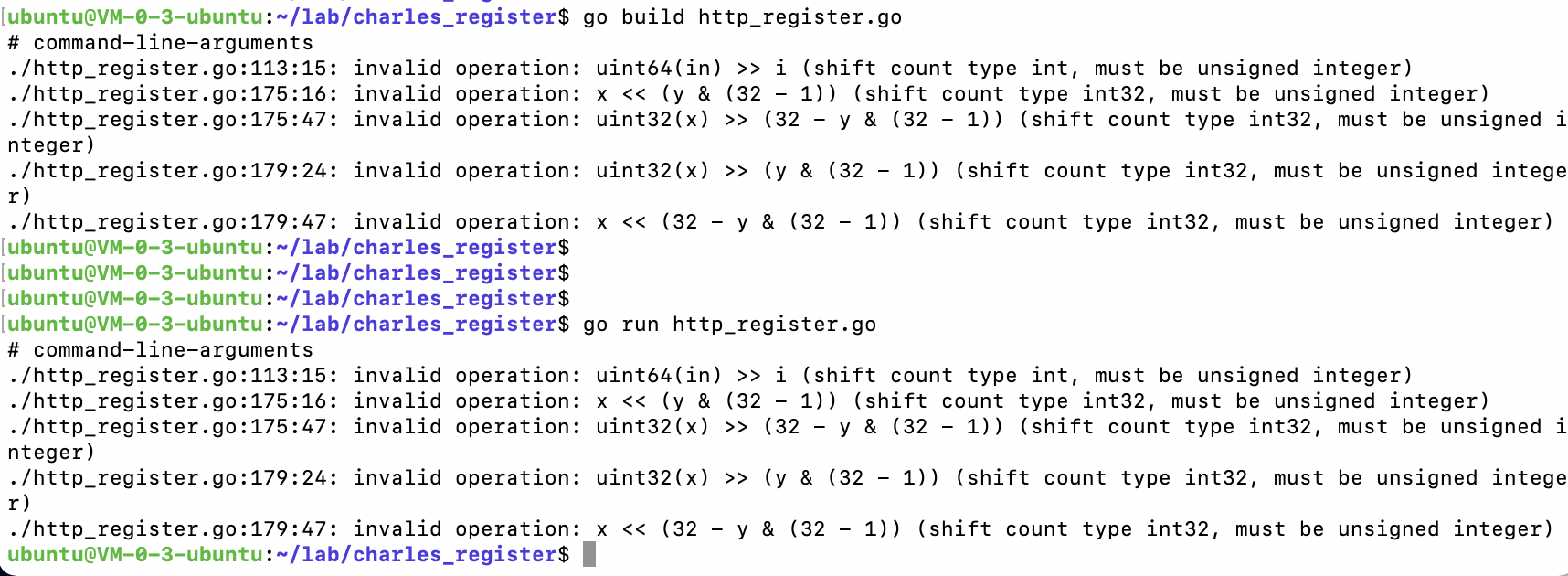
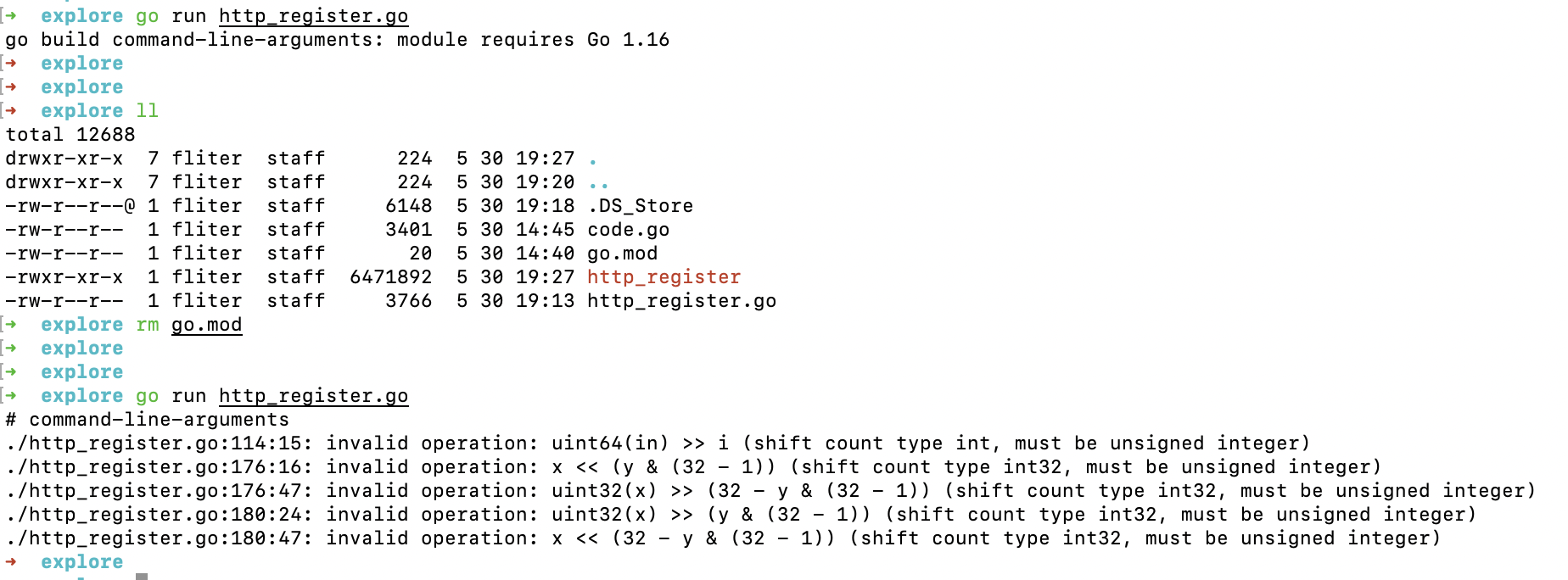
但到了Linux上,就会报错:
1
2
3
4
5
6
# command-line-arguments ./http_register.go :113 :15 : invalid operation: uint64 (in) >> i (shift count type int , must be unsigned integer) ./http_register.go :175 :16 : invalid operation: x << (y & (32 - 1 )) (shift count type int32 , must be unsigned integer) ./http_register.go :175 :47 : invalid operation: uint32 (x) >> (32 - y & (32 - 1 )) (shift count type int32 , must be unsigned integer) ./http_register.go :179 :24 : invalid operation: uint32 (x) >> (y & (32 - 1 )) (shift count type int32 , must be unsigned integer) ./http_register.go :179 :47 : invalid operation: x << (32 - y & (32 - 1 )) (shift count type int32 , must be unsigned integer)
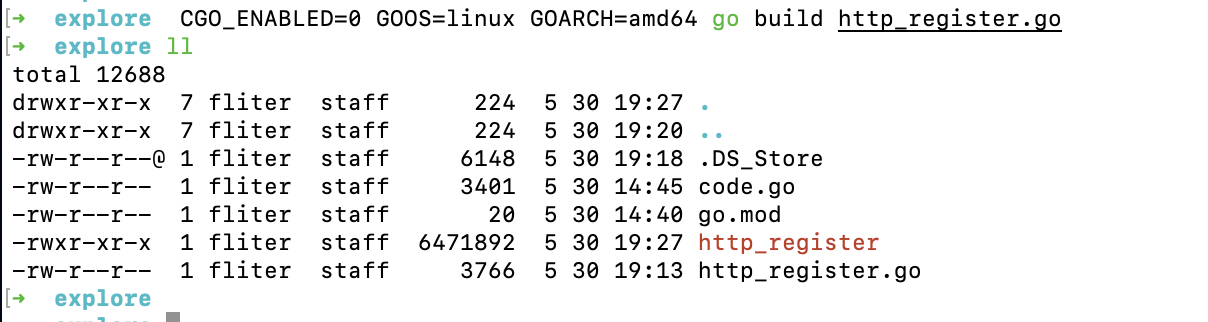
而在Mac上进行交叉编译 :
1 CGO_ENABLED=0 GOOS=linux GOARCH=amd64 go build 文件名.go
(如果出现GOROOT blabla之类的,执行go env -w GO111MODULE=off )
也没有什么问题
导致这种情况的原因,可能因Go版本不同而导致
Mac上的Go版本为 1.16, 而Linux上Go版本为 1.11
解决:
最初想看一下有没有在线的不同Go版本执行工具,无果而终.
想到之前用php时,用过brew switch来切换不同的php版本.但搜索之后发现,这个命令被 brew 弃用了.
之前用过node版本工具nvm,于是试图找寻Go有没有类似工具,发现了gvm.
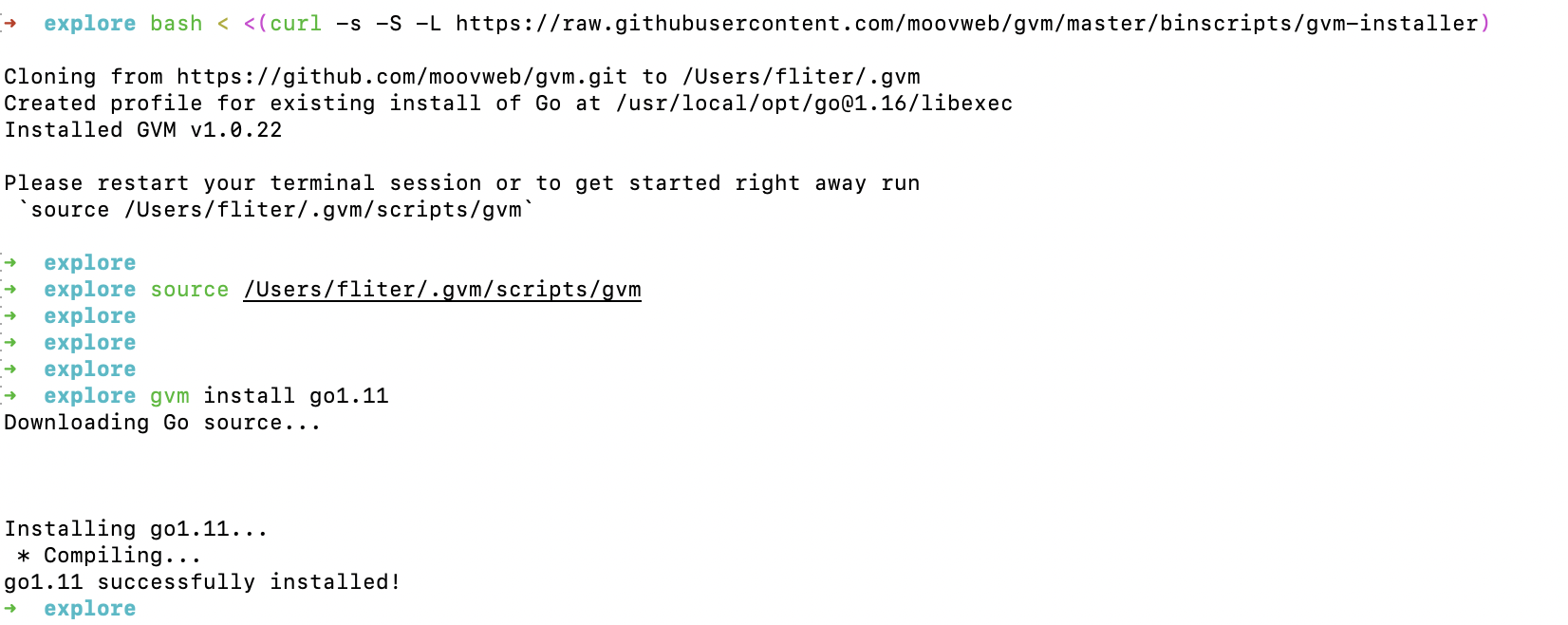
安装gvm
1 $ bash < <(curl -s -S -L https://raw.githubusercontent.com/moovweb/gvm/master/binscripts/gvm-installer)
N.B. : 不同操作系统还需要安装所需依赖,如Mac需要执行brew install mercurial安装mercurial。具体见原始项目
另外如果出现“ERROR: Unrecognized command line argument: ‘use’”报错,可参考此文 ,执行:
1
2
cp -rp .gvm/scripts/env/use .gvm/scripts/use chmod 775 .gvm/scripts/use
安装go 1.11
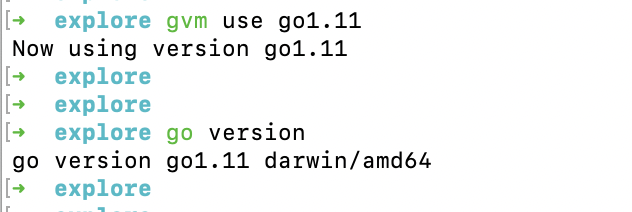
选择版本
果然已经变为 Go 1.11
在 Go 1.11 环境下执行,果然出现了和在Linux上Go 1.11下出现的同样错误
gvm更多命令
查看版本
1
2
3
4
5
6
➜ gvm list gvm gos (installed) => go1.11 system
查看Go的所有版本 (版本来源于源码中的 tag 标签)
点击查看Go所有版本:
1
2
3
4
5
6
7
8
9
10
11
12
13
14
15
16
17
18
19
20
21
22
23
24
25
26
27
28
29
30
31
32
33
34
35
36
37
38
39
40
41
42
43
44
45
46
47
48
49
50
51
52
53
54
55
56
57
58
59
60
61
62
63
64
65
66
67
68
69
70
71
72
73
74
75
76
77
78
79
80
81
82
83
84
85
86
87
88
89
90
91
92
93
94
95
96
97
98
99
100
101
102
103
104
105
106
107
108
109
110
111
112
113
114
115
116
117
118
119
120
121
122
123
124
125
126
127
128
129
130
131
132
133
134
135
136
137
138
139
140
141
142
143
144
145
146
147
148
149
150
151
152
153
154
155
156
157
158
159
160
161
162
163
164
165
166
167
168
169
170
171
172
173
174
175
176
177
178
179
180
181
182
183
184
185
186
187
188
189
190
191
192
193
194
195
196
197
198
199
200
201
202
203
204
205
206
207
208
209
210
211
212
213
214
215
216
217
218
219
220
gvm listall gvm gos (available) go1 go1.0 .1 go1.0 .2 go1.0 .3 go1.1 go1.1 rc2 go1.1 rc3 go1.1 .1 go1.1 .2 go1.2 go1.2 rc2 go1.2 rc3 go1.2 rc4 go1.2 rc5 go1.2 .1 go1.2 .2 go1.3 go1.3 beta1 go1.3 beta2 go1.3 rc1 go1.3 rc2 go1.3 .1 go1.3 .2 go1.3 .3 go1.4 go1.4 beta1 go1.4 rc1 go1.4 rc2 go1.4 .1 go1.4 .2 go1.4 .3 go1.5 go1.5 beta1 go1.5 beta2 go1.5 beta3 go1.5 rc1 go1.5 .1 go1.5 .2 go1.5 .3 go1.5 .4 go1.6 go1.6 beta1 go1.6 beta2 go1.6 rc1 go1.6 rc2 go1.6 .1 go1.6 .2 go1.6 .3 go1.6 .4 go1.7 go1.7 beta1 go1.7 beta2 go1.7 rc1 go1.7 rc2 go1.7 rc3 go1.7 rc4 go1.7 rc5 go1.7 rc6 go1.7 .1 go1.7 .2 go1.7 .3 go1.7 .4 go1.7 .5 go1.7 .6 go1.8 go1.8 beta1 go1.8 beta2 go1.8 rc1 go1.8 rc2 go1.8 rc3 go1.8 .1 go1.8 .2 go1.8 .3 go1.8 .4 go1.8 .5 go1.8 .5 rc4 go1.8 .5 rc5 go1.8 .6 go1.8 .7 go1.9 go1.9 beta1 go1.9 beta2 go1.9 rc1 go1.9 rc2 go1.9 .1 go1.9 .2 go1.9 .3 go1.9 .4 go1.9 .5 go1.9 .6 go1.9 .7 go1.10 go1.10 beta1 go1.10 beta2 go1.10 rc1 go1.10 rc2 go1.10 .1 go1.10 .2 go1.10 .3 go1.10 .4 go1.10 .5 go1.10 .6 go1.10 .7 go1.10 .8 go1.11 go1.11 beta1 go1.11 beta2 go1.11 beta3 go1.11 rc1 go1.11 rc2 go1.11 .1 go1.11 .2 go1.11 .3 go1.11 .4 go1.11 .5 go1.11 .6 go1.11 .7 go1.11 .8 go1.11 .9 go1.11 .10 go1.11 .11 go1.11 .12 go1.11 .13 go1.12 go1.12 beta1 go1.12 beta2 go1.12 rc1 go1.12 .1 go1.12 .2 go1.12 .3 go1.12 .4 go1.12 .5 go1.12 .6 go1.12 .7 go1.12 .8 go1.12 .9 go1.12 .10 go1.12 .11 go1.12 .12 go1.12 .13 go1.12 .14 go1.12 .15 go1.12 .16 go1.12 .17 go1.13 go1.13 beta1 go1.13 rc1 go1.13 rc2 go1.13 .1 go1.13 .2 go1.13 .3 go1.13 .4 go1.13 .5 go1.13 .6 go1.13 .7 go1.13 .8 go1.13 .9 go1.13 .10 go1.13 .11 go1.13 .12 go1.13 .13 go1.13 .14 go1.13 .15 go1.14 go1.14 beta1 go1.14 rc1 go1.14 .1 go1.14 .2 go1.14 .3 go1.14 .4 go1.14 .5 go1.14 .6 go1.14 .7 go1.14 .8 go1.14 .9 go1.14 .10 go1.14 .11 go1.14 .12 go1.14 .13 go1.14 .14 go1.14 .15 go1.15 go1.15 beta1 go1.15 rc1 go1.15 rc2 go1.15 .1 go1.15 .2 go1.15 .3 go1.15 .4 go1.15 .5 go1.15 .6 go1.15 .7 go1.15 .8 go1.15 .9 go1.15 .10 go1.15 .11 go1.15 .12 go1.16 go1.16 beta1 go1.16 rc1 go1.16 .1 go1.16 .2 go1.16 .3 go1.16 .4 release.r56 release.r57 release.r58 release.r59 release.r60 release.r57.1 release.r57.2 release.r58.1 release.r58.2 release.r60.1 release.r60.2 release.r60.3
其他方案–IDE
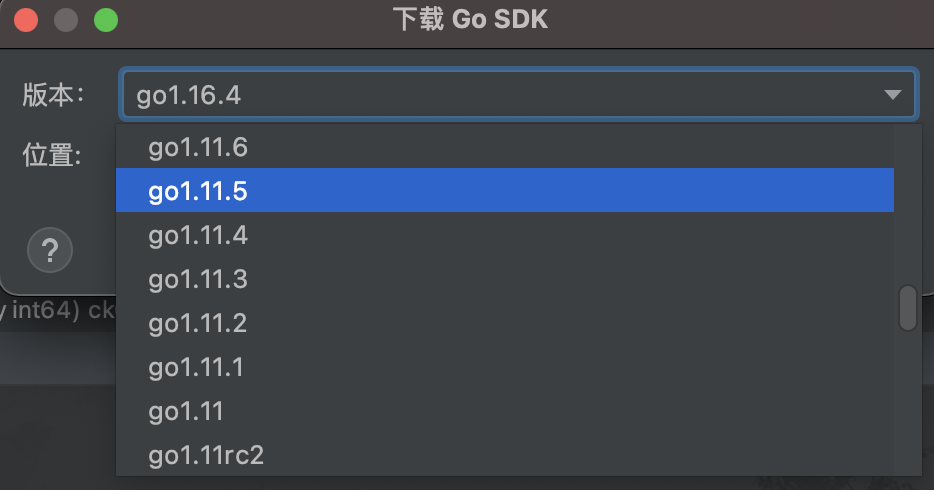
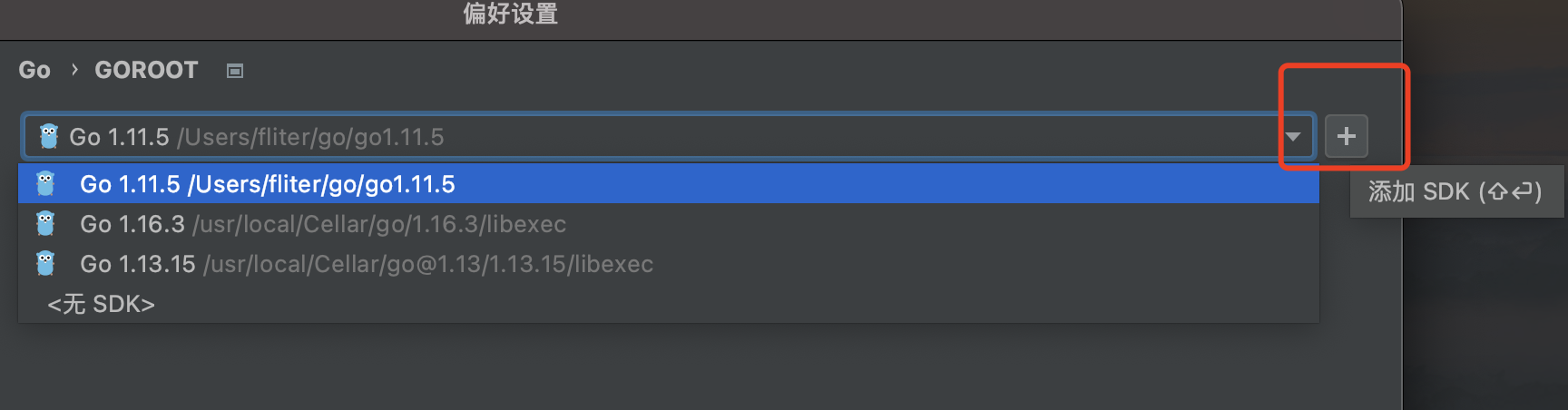
不管对于Python,还是Golang,面对版本问题时,使用PyCharm或GoLand,始终是极好的选择
但现在只能下载最近几个版本,更久远的无法安装
其他方案–Docker
docker pull golang:1.xx
docker run -it --name golang-1.xx自定义名称 golang:1.xx
进入到容器中(默认是基于ubuntu的镜像)
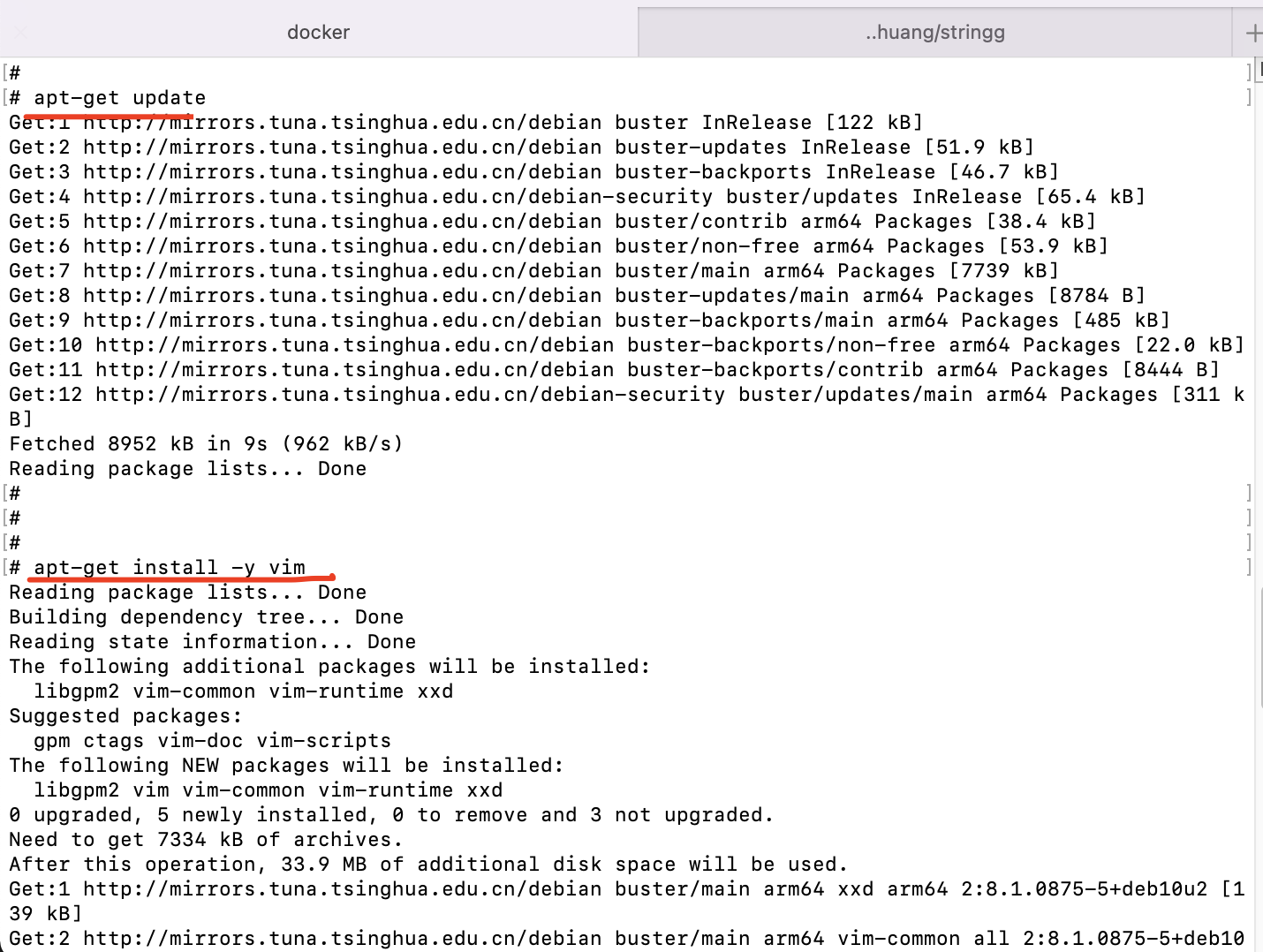
(如果没有vi/vim)切换源,安装vim
1
2
3
4
5
6
7
8
9
10
11
12
13
14
mv /etc/apt/sources.list /etc/apt/sources.list.bakecho "deb http://mirrors.tuna.tsinghua.edu.cn/debian/ buster main contrib non-free" >/etc/apt/sources.listecho "deb http://mirrors.tuna.tsinghua.edu.cn/debian/ buster-updates main contrib non-free" >>/etc/apt/sources.listecho "deb http://mirrors.tuna.tsinghua.edu.cn/debian/ buster-backports main contrib non-free" >>/etc/apt/sources.listecho "deb http://mirrors.tuna.tsinghua.edu.cn/debian-security buster/updates main contrib non-free" >>/etc/apt/sources.listapt-get update apt-get install -y vim
这种方式是万能的,任何版本都可以得到 (但是都是Linux版本的~)
其他方案–brew
但如果想用Mac的以往版本的Go,用Docker方式做不到~
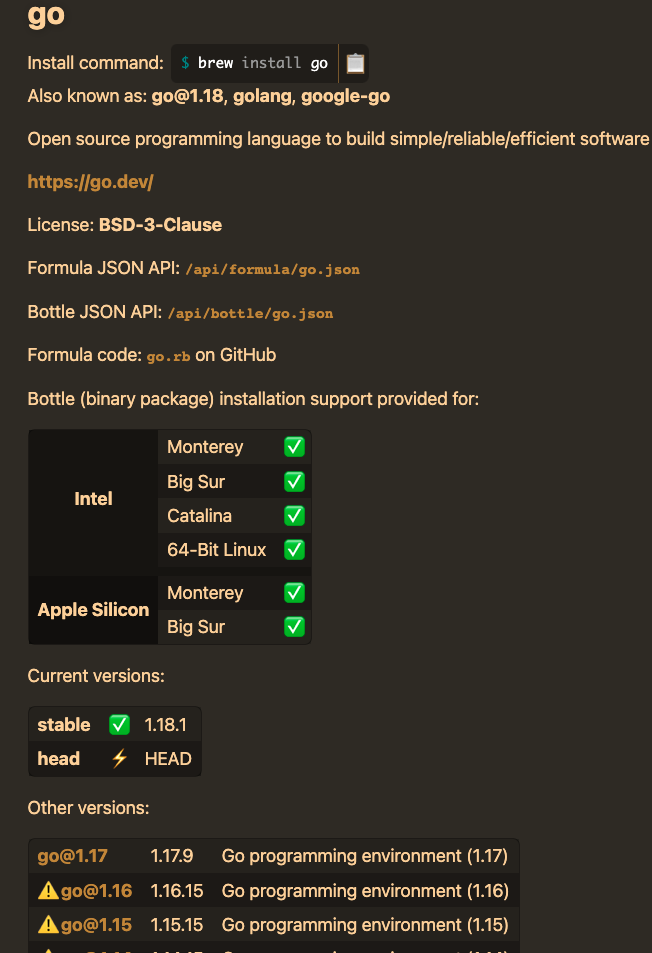
还可以用brew
可以在这里 找到所有可以安装的Go版本
(从1.16开始支持m1)
问题解决
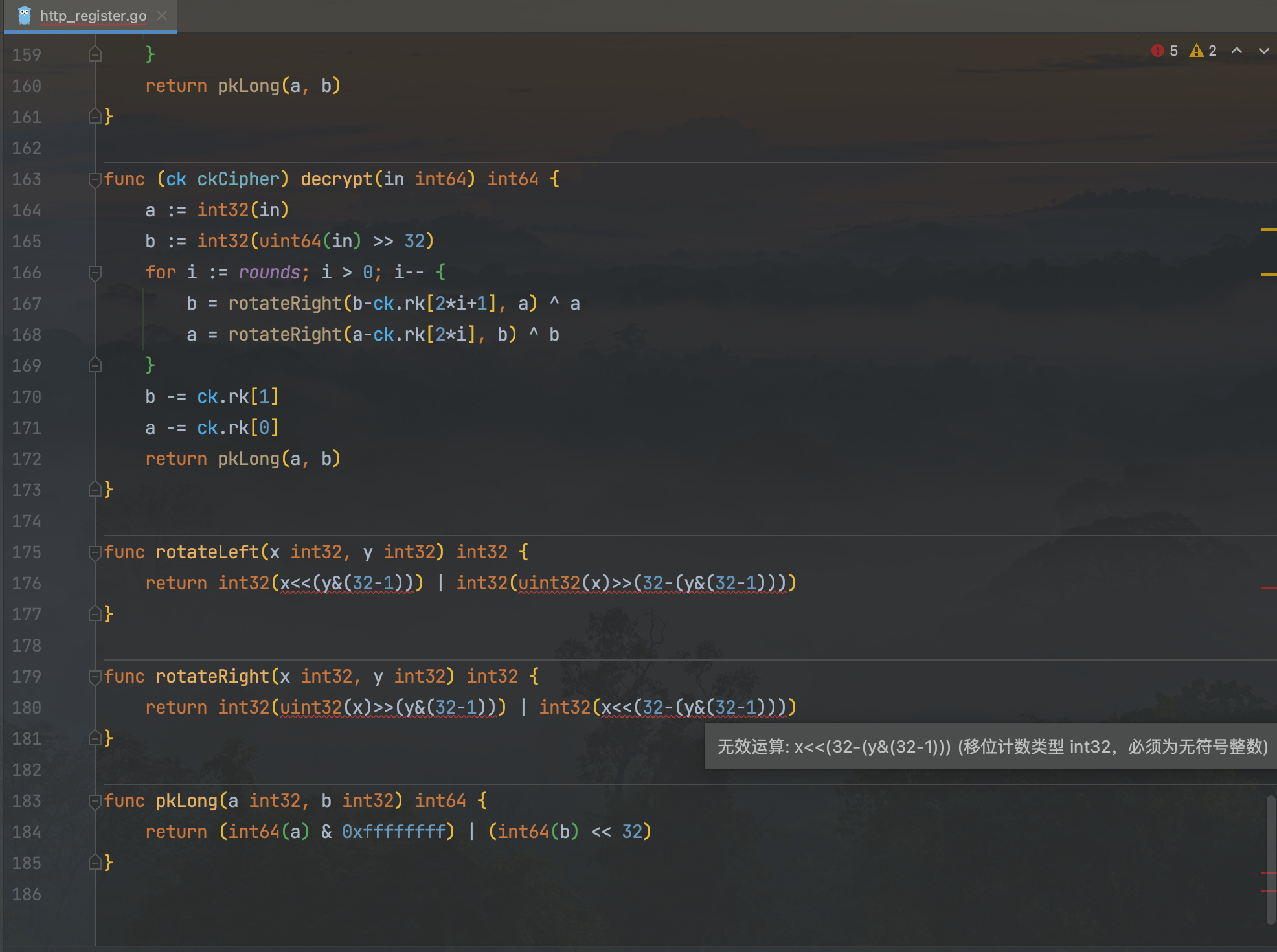
切换为Go 1.11.5版本后,IDE会自动报错
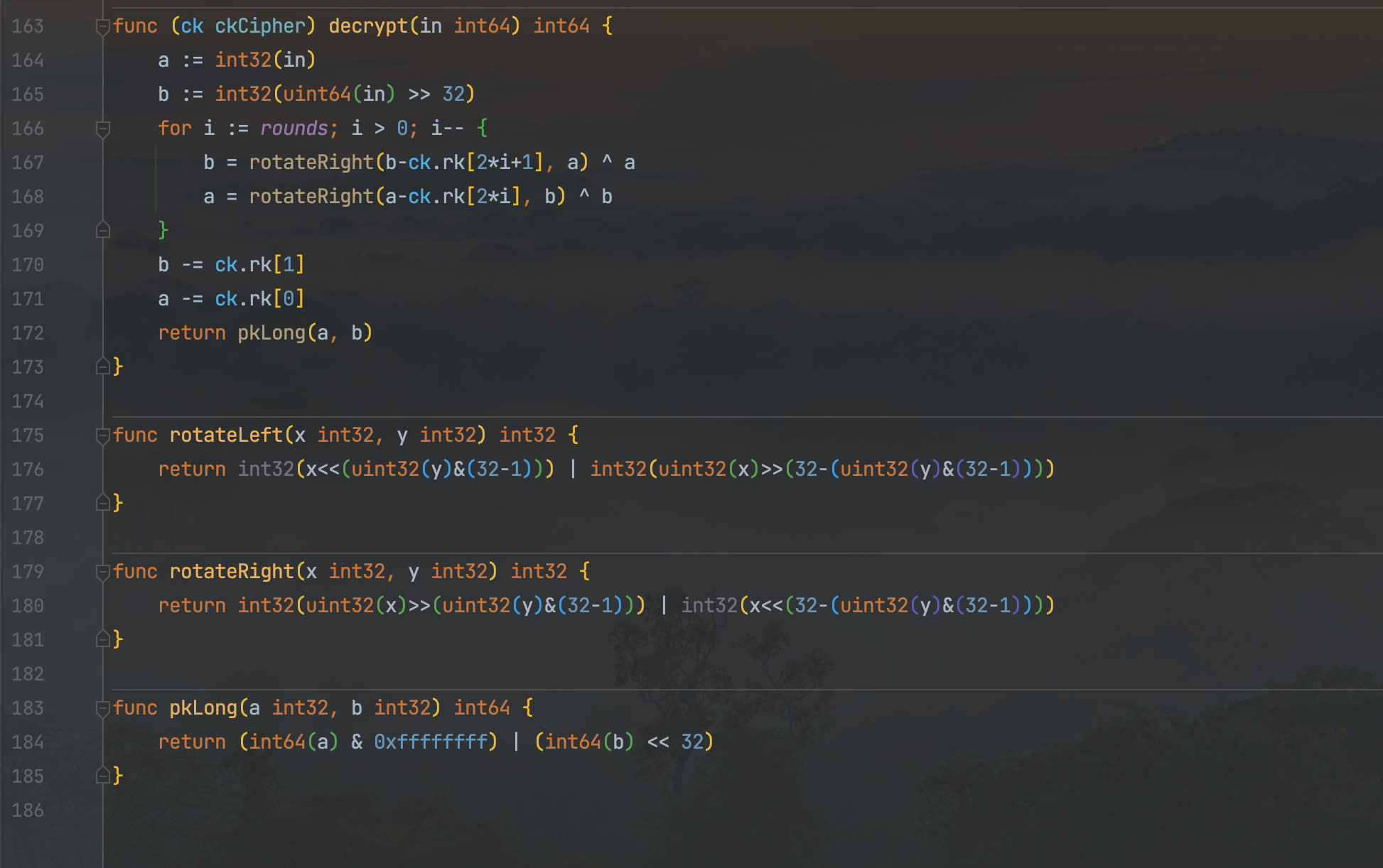
y为int32,将其强制转为uint32即可,
i为int,将其强制转为uint即可.
参考:
如何灵活地进行 Go 版本管理
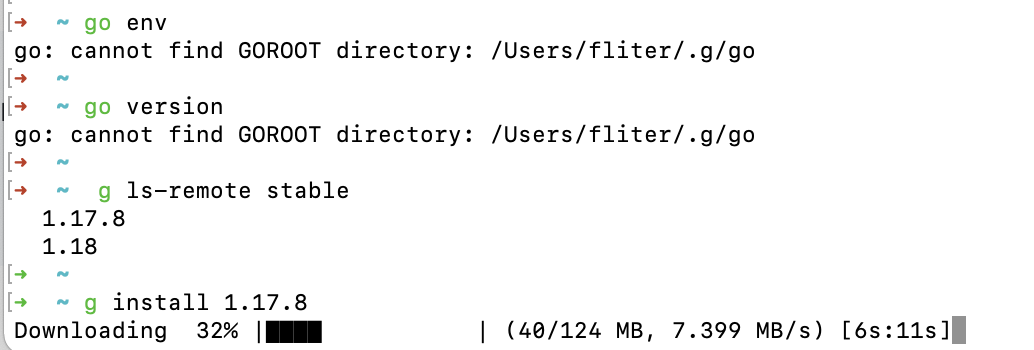
类似的工具还有g
奋哥推荐 gvc , 能管理很多种语言的版本
原文链接: https://dashen.tech/2021/05/30/gvm-灵活的Go版本管理工具/
版权声明: 转载请注明出处.