https://github.com/git/git/security/advisories/GHSA-8h77-4q3w-gfgv
https://www.cnblogs.com/Hi-blog/p/18224773/git_rce_CVE-2024-32002
在大小写不敏感的系统上,即Windows和Mac,可以利用这个漏洞执行远程操作 (一般这种漏洞演示都用调起本机的计算器为例)
Mac:
1
2
3
4
5
6
7
8
9
10
11
12
13
|
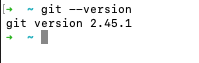
git --version  # 查看 Git 版本

brew install git  # 升级 Git  或者直接 brew upgrade git ??

brew link git --overwrite  # 重新链接 git

git --version  # 关闭终端, 重新查看 Git 版本

which git # 查看Git安装路径

# 如果版本没改,则修改一下zshrc文件,将使用brew安装的最新版本的git的路径,加在PATH路径的最前面
|
windows去 https://git-scm.com/download/win
下载最新的即可
其实linux上不受影响,因为linux系统大小写是敏感的….
稳妥起见还是升级一下:
ubuntu上面:
1
2
3
4
5
6
7
| sudo apt-get update
sudo apt-get update
sudo apt-get install git
git --version
|
centos上面:
https://juejin.cn/post/7071910670056292389
通过git官方的说明 Download for Linux and Unix, yum只能安装老版本的git,想使用新版本,建议通过源码构建
1
2
3
4
5
6
7
8
9
10
11
12
13
14
15
16
17
18
19
20
21
22
23
|
sudo yum remove git # 如果之前有通过yum安装则执行


wget https://mirrors.edge.kernel.org/pub/software/scm/git/git-2.45.2.tar.gz

tar -xzf git-2.45.2.tar.gz

cd git-2.45.2/

./configure --prefix=/usr/local # (也可以替换为其他path路径)

make

make install


# 如果之前git安装在其他路径
sudo ln -s /usr/local/bin/git /usr/bin/git

git --version
|

原文链接: https://dashen.tech/2018/06/06/git在大小写不敏感的文件系统上的漏洞/
版权声明: 转载请注明出处.